Feather is a free, open-source Monero (XMR) wallet for desktop computers. It’s small and fast, has Tor built in, and doesn’t download the blockchain, so you can be up and running in a few minutes. This guide covers what Feather is, how to download and verify it safely, how to set it up, and the features worth knowing about. Details are checked against Feather’s official site and documentation as of November 2026.
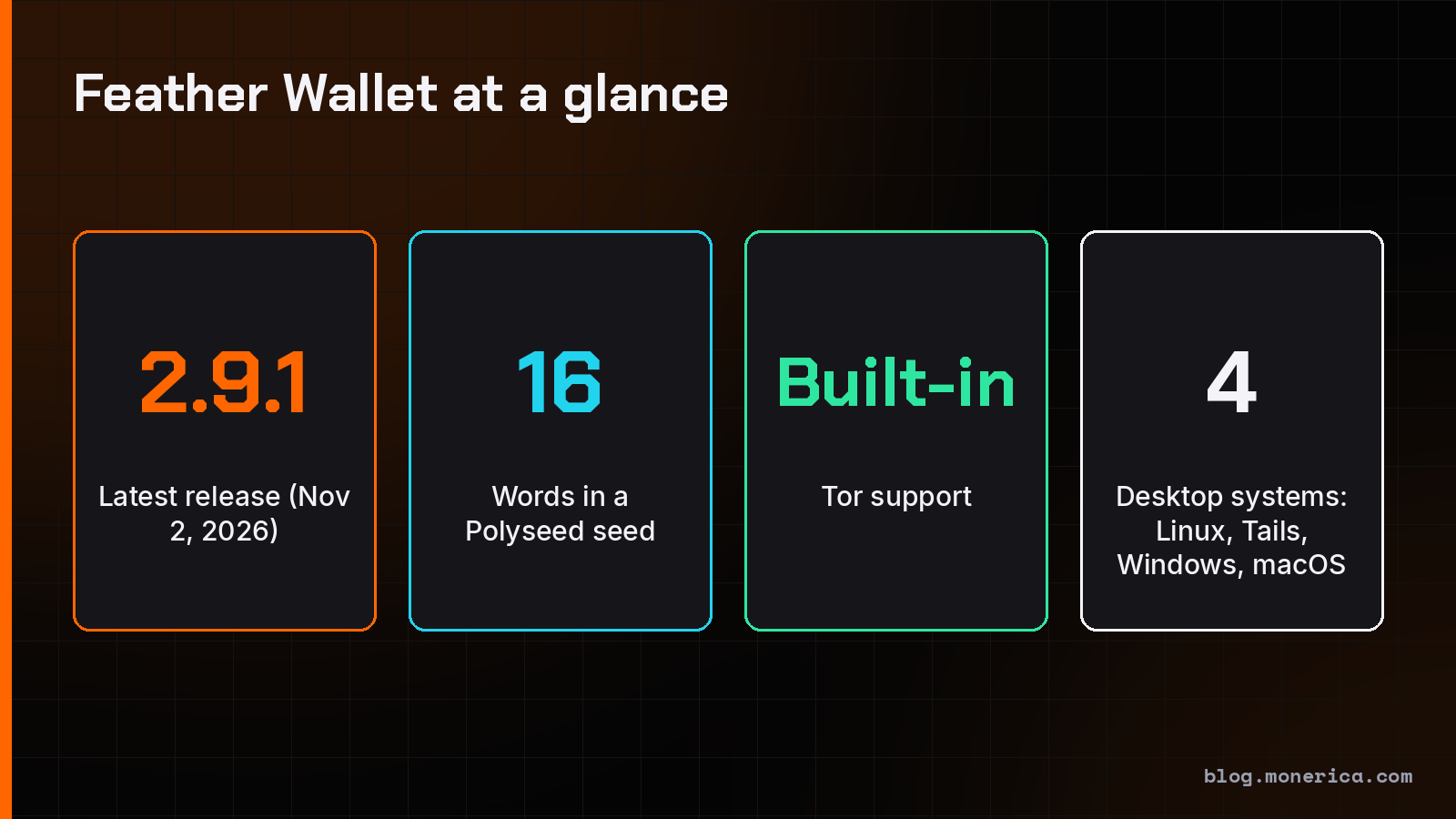
Quick facts: the latest version is 2.9.1 (released November 2, 2026). It runs on Linux, Tails, Windows 10 and later, and macOS 14 and later. The only official download site is featherwallet.org. Feather is listed as Verified on Monerica.
What Is Feather Wallet?
Feather is a Monero-only desktop wallet. Its developers describe it as beginner friendly but with a feature set on par with the official command-line wallet, and as a testing ground for features that may later reach the official wallets. The source code is public on GitHub.
Feather is a light wallet in the sense that it doesn’t store the blockchain itself. It connects to a Monero node, either one picked from its built-in list, a node you choose, or your own node. Your keys stay on your computer the whole time; the node only helps your wallet find your transactions.
Supported systems
- Linux: x64 (standalone file, AppImage or Flatpak), plus ARM64 for Raspberry Pi and 64-bit RISC-V.
- Tails and Whonix: a dedicated AppImage.
- Windows 10 and later: installer or portable standalone file.
- macOS 14 and later: Intel and Apple Silicon.
There’s no Feather for iPhone or Android. On mobile, see the best Monero wallets for iPhone and for Android.
How to Download and Verify Feather
Fake wallet downloads are the most common way people lose Monero, so get Feather from featherwallet.org/download only, never from an ad or a link in a chat.
- Download the file for your system from the official download page. Each file has a PGP signature next to it.
- Get the release signing key from Feather’s Git repository (the download page links to it).
- Verify the signature. On Windows, Feather’s docs walk you through it with Gpg4win and Kleopatra. On Linux and macOS, use
gpg --verify. If the signature doesn’t check out, don’t run the file. - Install or run it. On Windows, run the installer; the installed app needs about 60 MB. For a portable copy (for example on a USB stick), use the standalone file and create a file named
.portablein the same folder.
Windows Defender says it’s a virus? Some antivirus tools flag Monero wallets because of their crypto code. If your download’s signature checks out, it’s almost always a false positive. See Feather Wallet virus warnings explained.
How to Set Up Feather
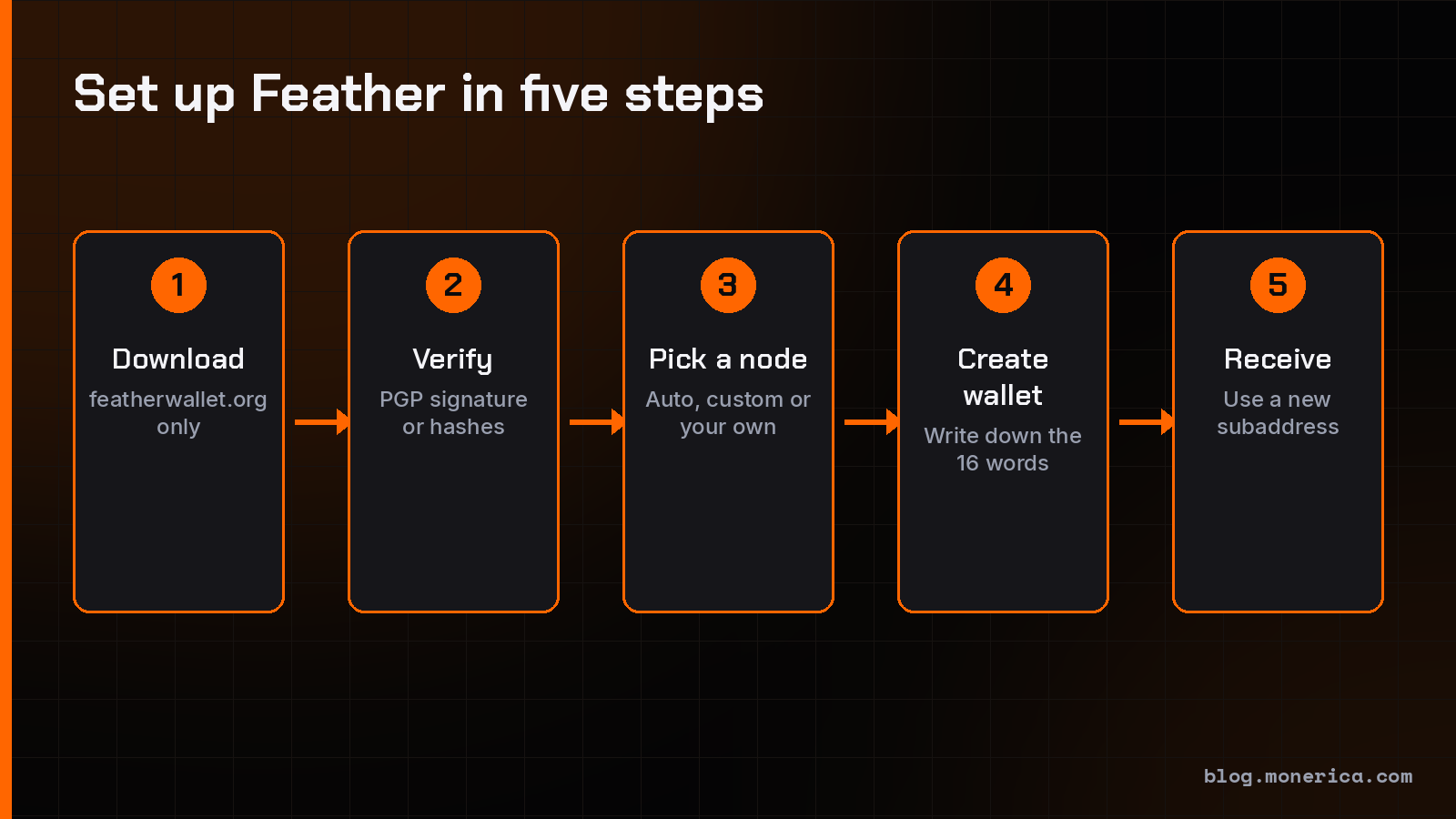
- Choose how to connect. On first start, Feather asks how to reach the Monero network. Auto connect picks a node at random from a built-in list run by the Feather team and trusted community members, and the docs recommend it for most people. You can also enter a node manually or connect to your own node, which is the most private option.
- Choose your Tor setting. Feather ships with Tor, so you don’t need to install it. By default it sends all traffic over Tor except wallet syncing, which moves a lot of data and would be slow over Tor. You can switch to always over Tor or never in Settings → Network → Proxy.
- Create a wallet and set a strong password.
- Write down your seed. Feather uses a 16-word Polyseed. It has your wallet’s creation date built in, so restoring later doesn’t require a restore height. Store it offline; anyone with these words can take your XMR.
- Receive Monero. Open the Receive tab and use a fresh subaddress for each sender. See how long Monero transfers take for when it becomes spendable.
Restoring an older wallet
Feather can restore from a Polyseed, a 14-word seed (from Feather versions before 2.0) or a standard 25-word Monero seed. You can also show a Polyseed wallet’s 25-word version under Wallet → Seed, which lets you open the same wallet in the official Monero GUI. Going the other way, from 25 words to a Polyseed, isn’t possible; you’d create a new wallet and send your coins to it.
Features Worth Knowing
- Coin control: freeze and thaw outputs, pick inputs by hand, label coins and sweep selected outputs.
- Hardware wallets: Ledger Nano S, Nano S Plus, Nano X, Stax and Flex, and Trezor Model T, Safe 3 and Safe 5. Feather’s docs say the Trezor Safe 7 isn’t supported yet. See the best Monero hardware wallet.
- Offline signing: keep keys on an air-gapped computer and sign transactions there, including with animated QR codes.
- Proofs: prove you paid someone, verify transaction proofs, and sign or verify messages.
- View-only wallets: watch a balance without being able to spend it.
- Signed updates: the built-in updater fetches a PGP-signed list of file hashes over Tor and checks the update against it before installing.
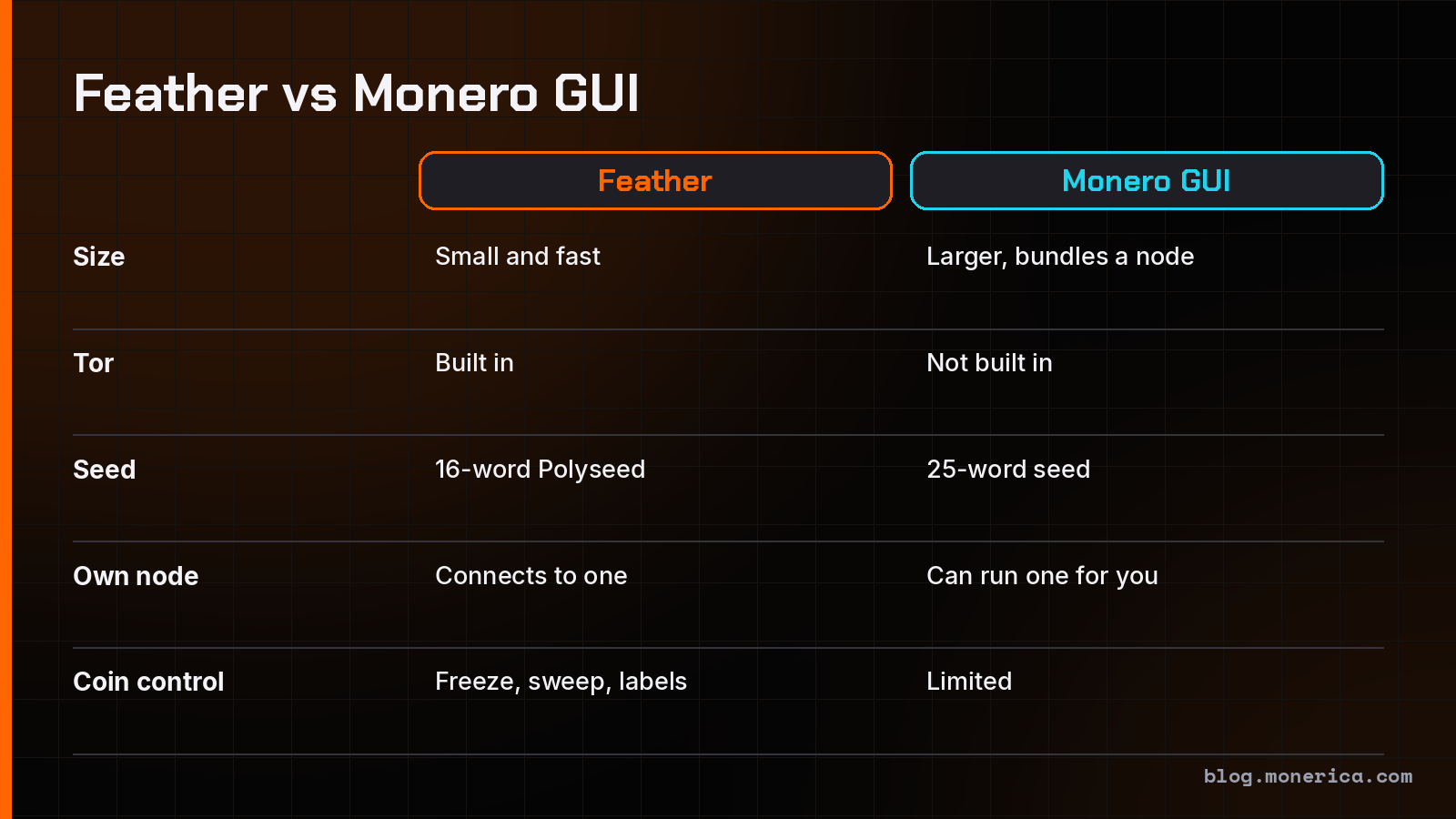
Feather doesn’t run a node for you or mine. If you want that, see the Feather vs Monero GUI comparison.
Is Feather Wallet Safe?
Feather is open source, its releases are PGP-signed and its builds are reproducible, so anyone can check that the download matches the code. It’s non-custodial: your keys never leave your computer. The main risks are the usual ones: a fake download, a lost seed, or malware on your computer. Verify every download, keep your seed offline, and use a hardware wallet for larger amounts.
FAQ
Is Feather Wallet free?
Yes. It’s free and open source. The only cost is the normal Monero network fee when you send.
Does Feather download the whole Monero blockchain?
No. It connects to a node instead, so it’s ready in minutes and needs little disk space. To use your own node, see how to run a Monero node.
Is there a Feather Wallet for iPhone or Android?
No. Feather is desktop only: Linux, Tails, Windows and macOS.
Is Feather better than the official Monero GUI?
Neither is better for everyone. Feather is lighter, has Tor built in and stronger coin control. The GUI is the official wallet and can run a full node for you. Full comparison: Feather vs Monero GUI.
Can I use Feather on Tails?
Yes. There’s a dedicated Tails/Whonix AppImage, and on Tails all of Feather’s traffic goes through Tor.
Why does my antivirus flag Feather?
Usually a false positive. Verify the signature first; if it checks out, see Feather Wallet virus warnings and Windows Defender and Monero wallets.
Sources
- Feather downloads and release 2.9.1
- Feather documentation (first start, Tor support, seed scheme, hardware wallets, Windows installation, updater, feature comparison)