Short answer: About 20 minutes.
Your payment is usually seen within seconds–a minute, gets its first confirmation in about ~2 minutes, and becomes fully spendable after roughly 10 confirmations (~20 minutes) depending on your wallet or the receiver’s policy. Some merchants/exchanges ask for more confirmations, which can extend the wait.

Quick Timelines
- Broadcast / mempool: seconds to a couple minutes (appears as “pending/unconfirmed”).
- 1 confirmation: ~2 minutes on average (first block including your tx).
- Common “unlocked” default: ~10 confirmations ≈ ~20 minutes (many wallets/merchants).
- Exchanges / high-value payments: often 10–30 confirmations (≈ 20–60 minutes), varies by platform.
- Mined (coinbase) rewards: unlock after ~60 blocks (≈ ~120 minutes) before spendable.
What is a “confirmation”? Each block that includes (or builds on a block with) your transaction counts as one confirmation. More confirmations = stronger finality and lower double-spend risk.
What Happens During a Monero Transfer, Step by Step
- You press send (0 seconds). Your wallet builds the transaction and hands it to a node, which relays it across the network.
- The receiver sees it (seconds). The transaction sits in the transaction pool, also called the mempool. A synced receiving wallet shows it as pending or unconfirmed, usually within a few seconds to a minute.
- First confirmation (about 2 minutes on average). A miner includes the transaction in a block. Monero's target block time is 120 seconds.
- Confirmations 2 to 9 (about 4 to 18 minutes). Each new block adds one confirmation. The funds show in the receiver's balance but are still locked.
- Unlocked at 10 confirmations (about 20 minutes). The receiver can now spend the coins. This 10-block wait is a rule of the Monero network, so no wallet can shorten it. Details: how many confirmations Monero needs.
So there are really two answers. The payment arrives in seconds and is confirmed in about 2 minutes. It becomes spendable in about 20 minutes.
Confirmations to minutes
| Confirmations | Average time | What it means |
|---|---|---|
| 0 | Seconds | Broadcast and visible, not yet in a block |
| 1 | ~2 minutes | In the blockchain |
| 3 | ~6 minutes | Often enough for small online orders |
| 10 | ~20 minutes | Unlocked: the receiver can spend it |
| 30 | ~60 minutes | Upper end of what some platforms ask for |
| 60 | ~2 hours | Mined (coinbase) rewards become spendable |
These are averages. Block discovery is random, so a single block can take a few seconds or several minutes, and 10 confirmations commonly take anywhere from about 15 to 30 minutes. See Monero block time for why.
What Affects How Fast a Monero Transfer Completes?
- Block time & network load: Monero aims for ~2 min blocks and uses a dynamic block size. If blocks are comfortably handling traffic, most normal-fee transactions confirm on the next block or two.
- Fee priority you choose: Wallets let you pick priority (e.g., slow/normal/fast). Normal or Fast prioritizes quicker inclusion. Extremely low fees can be delayed if blocks are full.
- Receiver’s policy: Some vendors release goods at 1–2 confirmations for small orders, others require ~10+. Exchanges often use 10–30.
- Your wallet/node sync state: If your wallet or the node it connects to isn’t fully synced, display of the payment can lag even if it’s already on-chain.
- Restore height / scanning: Using a far-past restore height slows scanning. Set a sensible restore (start) height to speed up detection.
Typical Scenarios
| Scenario | When it shows up | When it’s “good enough” |
|---|---|---|
| P2P / trusted trade, small amount | Seconds–1 min (pending) | Often 1–2 confirmations (~2–4 min) |
| Online store using a gateway | Instant pending + QR invoice | Commonly 1–10 confirmations (~2–20 min) |
| Exchange deposit | Pending within minutes | Platform policy: ~10–30 confirmations (~20–60 min) |
| Spending freshly mined XMR (coinbase) | Visible after mined | Spendable after ~60 confirmations (~120 min) |
How Long Does XMR Take to Transfer to an Exchange?
The on-chain part is the same as any other transfer: seen in seconds, first confirmation in about 2 minutes. What changes is how many confirmations the exchange waits for before it credits you, and that number is the exchange's own choice. It is normally shown on the deposit or order page.
For an instant swap (sending one coin and receiving another), the total time is three waits added together:
- Confirmations on the coin you send. If you send XMR, this is the Monero part. If you send Bitcoin to get XMR, Bitcoin's roughly 10-minute blocks are usually the slowest step.
- The exchange's own processing time.
- The payout. When XMR is paid out to you, it appears in your wallet within seconds of being sent and unlocks after 10 confirmations.
Monerica's main sponsor exchanges are CCE Cash, SageSwap, GhostSwap and xmr2cex (sell-only). Each shows the progress of your order as it goes, and the details of how each service operates are on its Monerica profile.
Why You Cannot Send Again Right Away
Two situations catch new users out, and both come from the same 10-block rule:
- You just received XMR and want to forward it. You have to wait for 10 confirmations, about 20 minutes, before the wallet lets you spend it.
- You just sent XMR and your remaining balance shows as locked. A Monero transaction spends whole outputs and returns the remainder to you as change. The change is a new output, so it is locked for 10 blocks too. Your coins are safe and reappear as unlocked balance after about 20 minutes.
If you need to make several payments back to back, either send them in one transaction (most wallets support multiple recipients) or keep your funds in several separate outputs by receiving them in more than one transaction.
Why Is My Monero Transfer “Stuck” or Slow?
- Low fee priority: If you chose a very low fee, it may miss the next block when blocks are busy. Monero has no fee bump and no cancel button, so the fix is to wait: the transaction is normally picked up within the next few blocks.
- Wallet/node not synced: Ensure your wallet and the node are fully synced with the chain tip.
- Receiver requires more confirmations: If they want 10–30, your funds are fine, they just won’t mark “paid” yet.
- Wrong restore height (receiver side): If a merchant/rest API watches from the wrong height, detection may lag until it scans past your block.
- Payment ID / address mismatch (legacy flows): Rare today, but if using older tooling, ensure the address and any payment details are correct.
How to check where a transfer is
- Copy the transaction ID (TXID) from your wallet's history.
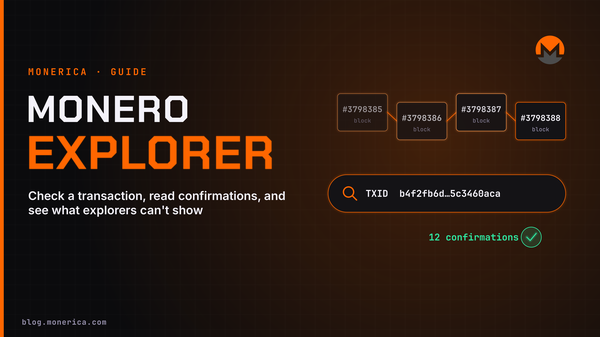
- Paste it into a Monero block explorer. See how to use a Monero explorer.
- If it shows a block and a confirmation count: the transfer is done on your side. Any remaining wait is the receiver's policy or the receiver's wallet syncing.
- If it shows as unconfirmed: it is in the transaction pool waiting for a miner. Give it a few more blocks.
- If it is not found at all: it was probably never broadcast. Check your wallet's connection to its node, then try sending again. Some wallets, Feather for example, can rebroadcast a transaction.
Can a Monero transaction stay unconfirmed forever?
No. Nodes drop a transaction from the transaction pool if it has not been mined within 3 days (the CRYPTONOTE_MEMPOOL_TX_LIVETIME value in the Monero source code). If that happens, the coins were never spent and become available in your wallet again. In normal conditions this is rare, because Monero's block size grows with demand and transactions with a normal fee go into the next block or two.
Fee priority levels
Monero wallets offer four fee levels. In the official CLI wallet they are named unimportant, normal, elevated and priority. The Monero GUI and Feather default to an automatic setting that picks a level based on how busy the transaction pool is. A higher level only helps your transaction get into the first block sooner when blocks are full. It does nothing for confirmations 2 to 10. Current costs are covered in Monero network fees.
Monero Transfer Time vs Other Coins
| Coin | Target block time | Time for 1 confirmation (average) |
|---|---|---|
| Monero (XMR) | 2 minutes | ~2 minutes |
| Litecoin (LTC) | 2.5 minutes | ~2.5 minutes |
| Bitcoin (BTC) | 10 minutes | ~10 minutes |
Monero's first confirmation is about five times faster than Bitcoin's. The difference in practice is the 10-block lock: a Bitcoin receiver can choose to re-spend after one confirmation, while a Monero receiver always waits for 10. A broader comparison is in Bitcoin vs Monero.
Tips to Get the Fastest Reasonable Confirmation
- Use a Normal/Fast fee priority for time-sensitive payments.
- Send during a time your wallet is fully synced to a reliable node (your own or a reputable remote node).
- Ask the recipient their confirmation policy before paying (1–2 vs 10+).
- For merchants, consider watch-only (view-key) detection and a clear confirmations policy by order value.
FAQ
Can Monero transfers be instantaneous?
You can see a broadcast almost instantly, but finality still relies on block confirmations. For small, low-risk sales, some accept 0–1 conf at their own risk; most require at least one block (~2 minutes).
How long do Monero transactions take?
For most wallets, it takes 10 confirmations, which is about 20 minutes, for a transaction to settle.
How many confirmations do I need?
Every receiver decides. Common defaults: wallets treat funds as “unlocked” after ~10 confirmations (~20 minutes). Exchanges often ask for 10–30 confirmations. High-value trades may ask for more.
Does network congestion affect Monero like other coins?
Monero’s dynamic block size helps absorb bursts, but if many users set ultra-low fees simultaneously, some transactions can wait for subsequent blocks. Using a normal/fast fee mitigates this.
Why did my wallet show “pending” for a long time?
Most commonly: node not fully synced, incorrect restore height, or the receiver waiting for more confirmations. Less commonly: extremely low fees or a stuck broadcast from a flaky node/connection.
How long does XMR take to transfer between two wallets?
The receiving wallet shows the payment within seconds and it gets its first confirmation in about 2 minutes. The receiver can spend it after 10 confirmations, about 20 minutes. This is the same for every wallet, because the lock is a network rule.
Can I cancel or speed up a Monero transaction?
No. Once a transaction is broadcast it cannot be cancelled, and Monero has no replace-by-fee feature to raise the fee afterwards. If it is never mined, nodes drop it after 3 days and the funds return to your spendable balance.
Why is my balance locked after I sent Monero?
Your change from the transaction is a new output, and new outputs are locked for 10 blocks. The locked amount becomes spendable again after about 20 minutes. Nothing has been lost.
Do Monero transfers work at night and on weekends?
Yes. Blocks are mined around the clock, every day of the year, at the same 2-minute average. There are no banking hours or cut-off times.
Bottom line: Expect ~2 minutes per confirmation. Most routine payments feel complete in ~2–20 minutes, depending on how many confirmations the receiver requires. For mined rewards, expect about ~2 hours before spendable.
Related Articles
- How To Accept a Monero (XMR) Transfer
- What Is Monero?
- How To Buy Monero
- Is Monero Private? (2026 Guide)
- How To Exchange Monero
- How Many Confirmations Does Monero Need?
- Monero Network Fees