A Monero explorer is a website that shows public data from the Monero blockchain: blocks, transactions, fees, the mempool and how many confirmations a payment has. Unlike a Bitcoin explorer, it can't show who paid whom, how much, or anyone's balance. Monero hides those by design.
This guide covers how to check a transaction, the Monero explorers worth using (and what each is best for), what confirmations mean, how to prove a payment privately, and how to stay private while you look things up.
Quick Answer
- To check a payment: copy the TXID (transaction ID) from your wallet and paste it into any explorer below, such as xmrchain.net or Explore Monero.
- Timing: a new block about every 2 minutes. The first confirmation takes about 2 minutes; wallets unlock funds after 10 confirmations (about 20 minutes); exchanges often want 10–30.
- Privacy: explorers show network facts, never the sender, receiver, amount or balance.
- To prove you paid: give the recipient your TXID and transaction key so they can verify it privately (see below).
How to Check a Monero Transaction
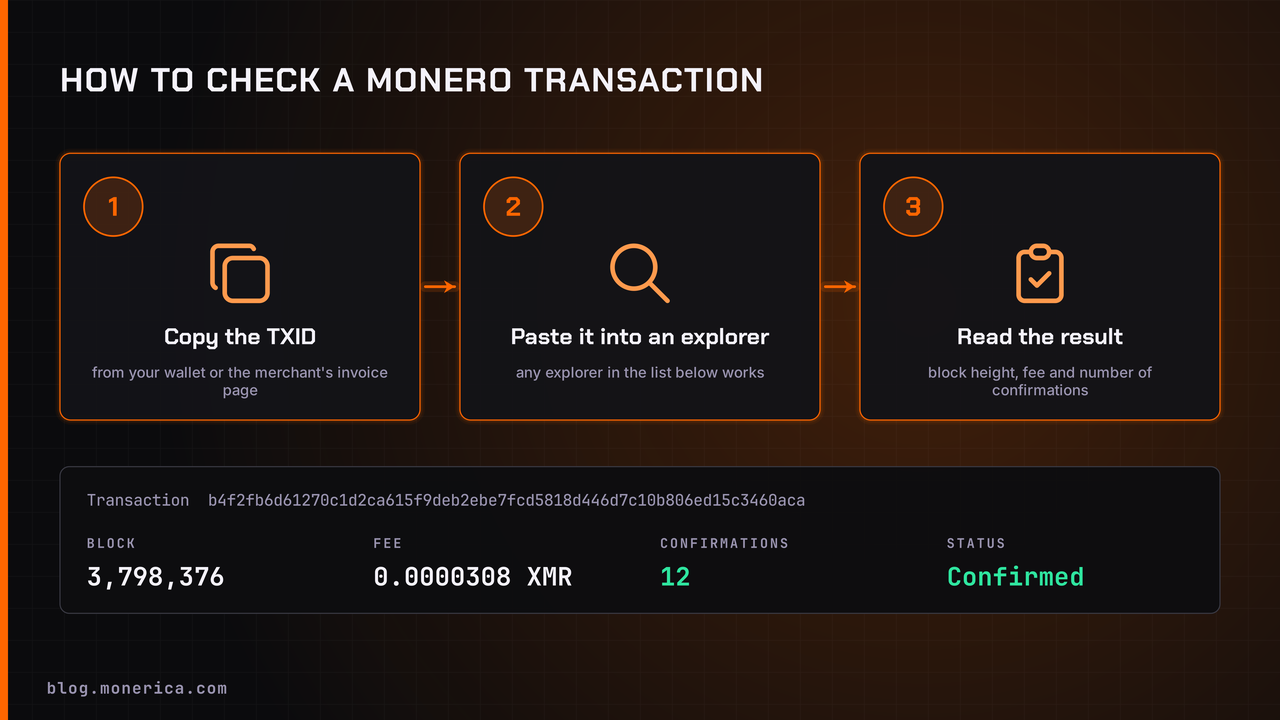
- Copy your TXID from your wallet or the merchant's invoice page.
- Paste it into the search bar of any explorer in the list below.
- Read the confirmations, block height and fee. If it shows as pending, it's still in the mempool and will be included in the next block or two.
Monero Explorers (Curated List)
Every explorer here is listed on Monerica; the name links to its profile, with reviews and its official links.
| Explorer | Best for | Notes |
|---|---|---|
| 3xpl | Multi-chain lookups | Has a Tor (.onion) mirror |
| BitInfoCharts | Long-term charts | Daily transactions and average fees |
| Blockchair | Multi-chain research | Search across many blockchains |
| Explore Monero | Checking a payment | Simple verify flow, mempool view |
| GhostSwap Monero Explorer | Live stats and a free API | Mempool, hashrate, fees; says it keeps no access logs |
| Monero Blocks | Network stats and API | Blocks, tx pool, emission, payment IDs |
| Monero Blocks - P2Pool | Seeing alternate blocks | Highest-work chain and alt blocks |
| MoneroHash Explorer | Mining and advanced tools | Tx pusher, key image and output checkers |
| monerometrics | Network health and reorgs | Orphans, reorgs, pool distribution; Tor mirror |
| Monero Space | Visual dashboard | mempool.space-style view for Monero |
| MoneroVis | Privacy research | Decoy tracing and poisoned-output analysis |
| xmrchain.net | Privacy-friendly lookups | No JavaScript, cookies or trackers; open source |
| Xmrscan | Quick block and tx views | Straightforward explorer |
| xmr.tx.taxi | RingCT details | Blocks, mempool and mining data |
Which Monero explorer should you use?
- Just checking a payment: xmrchain.net (no JavaScript or trackers) or Explore Monero.
- Over Tor: 3xpl and monerometrics both have onion mirrors.
- Several blockchains at once: 3xpl or Blockchair.
- Network health (reorgs, orphans, mining pools): monerometrics and Monero Blocks - P2Pool.
- Live stats or an API for your own tools: GhostSwap Monero Explorer (free JSON stats API) or Monero Blocks.
- Charts over months and years: BitInfoCharts.
What a Monero Explorer Can (and Can't) See
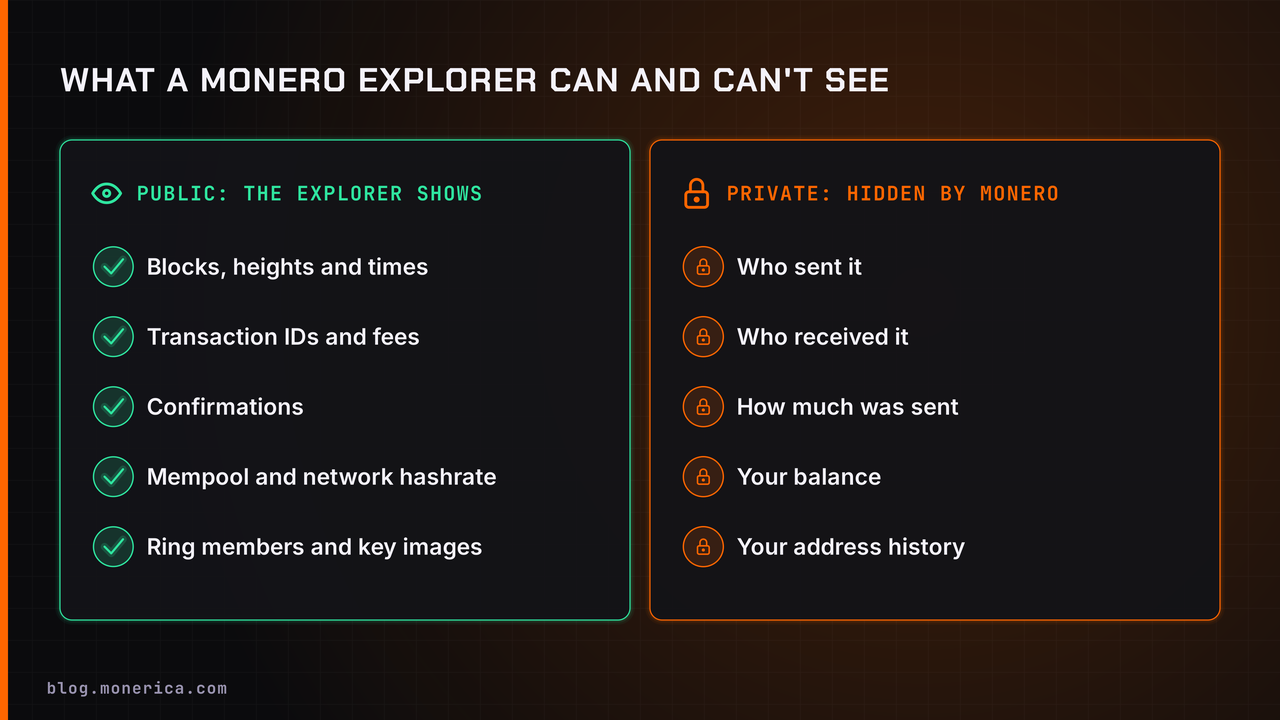
Stealth addresses hide the receiver, ring signatures hide the sender, and RingCT hides the amount. So an explorer can prove that a transaction exists and how many confirmations it has, but it can't tell anyone who was involved or how much moved. That's the big difference from Bitcoin, where anyone can look up an address and see every payment it ever made.
Confirmations & Timing
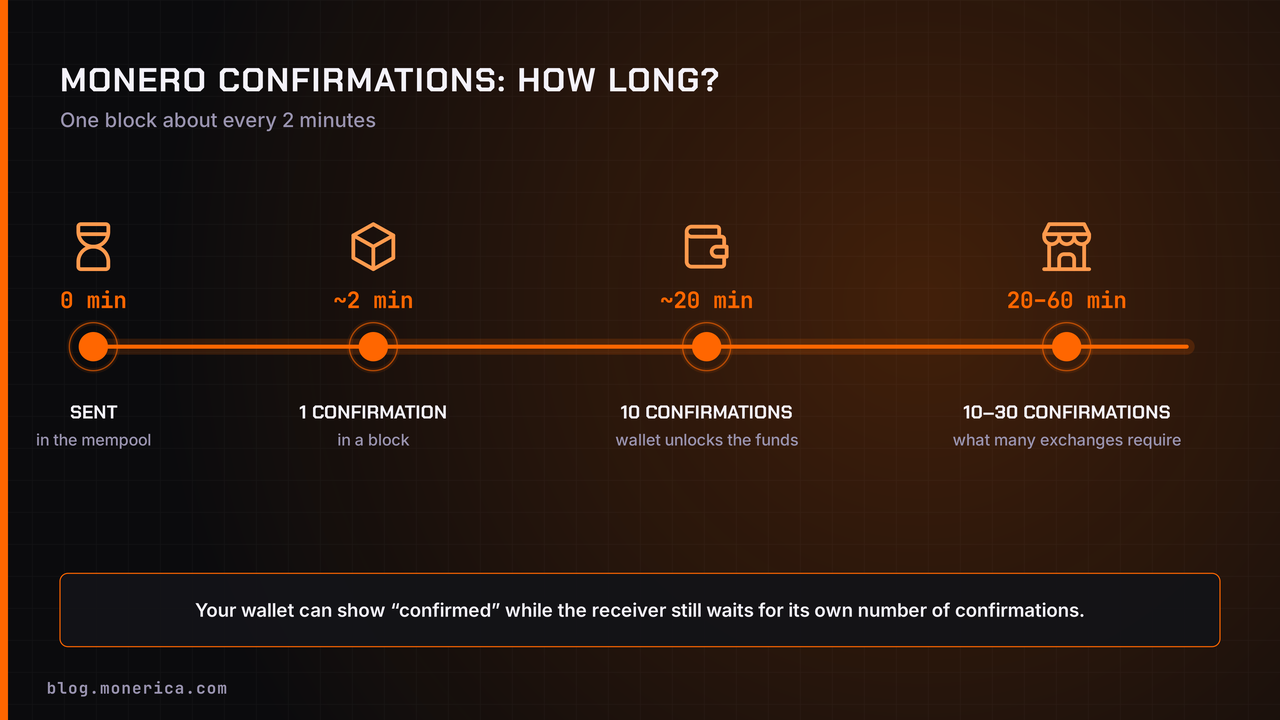
- Block time: about 2 minutes per block.
- First confirmation: about 2 minutes on average.
- Spendable: received funds unlock after 10 confirmations (about 20 minutes).
- Exchanges and merchants: often wait for 10–30 confirmations before crediting you.
Your wallet can show a payment as confirmed while the receiver is still waiting for its own number of confirmations. See Monero block time for more.
How to Prove a Monero Payment (Privately)
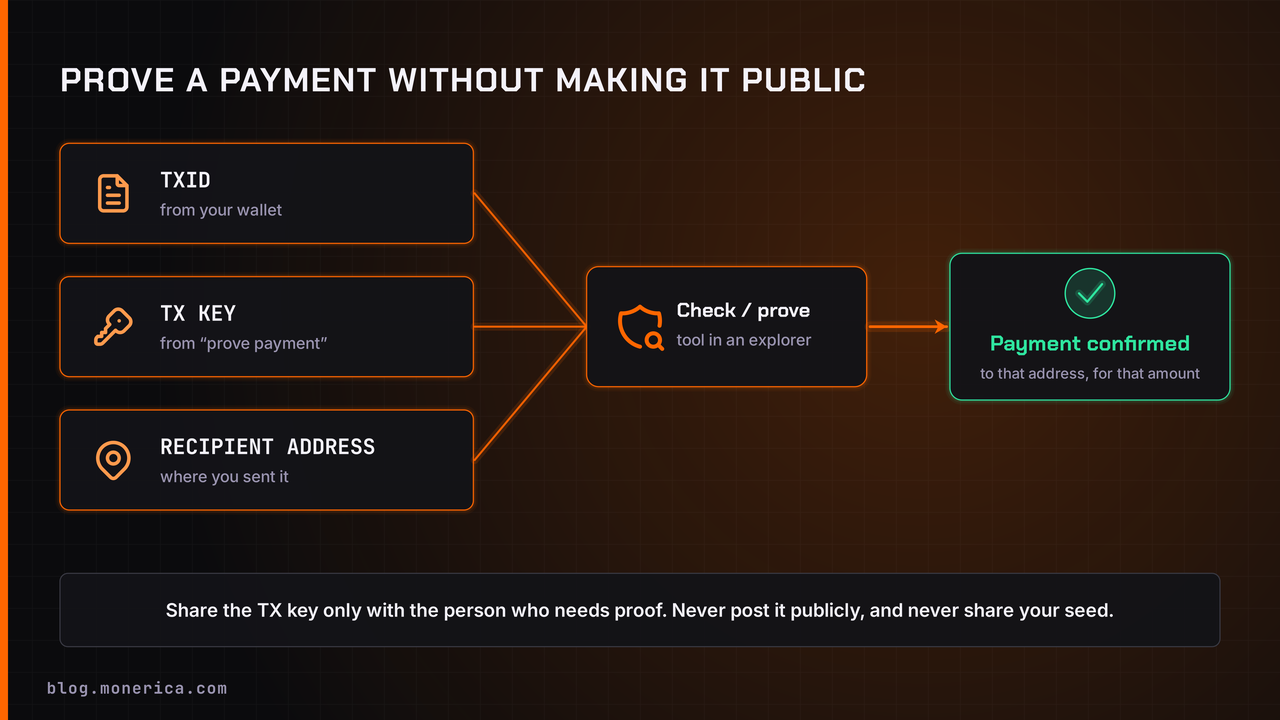
Because nobody else can see the amount or the receiver, you prove a payment by sharing a key only with the person who needs it:
- Copy the TXID from your wallet after you send.
- Get the transaction key (tx key) for it. Most wallets show it under the transaction's details or a "prove payment" option.
- Send the TXID, tx key and the recipient's address to the person who needs proof.
- They paste all three into an explorer's "check" or "prove sending" tool, which confirms that the payment went to that address and how much it was.
Never post a tx key publicly, and never paste your seed or private spend key into any website.
What to Look For in a Monero Explorer
- Privacy: works with JavaScript off, no trackers, and ideally a Tor mirror.
- Up to date: shows the latest block height within a minute or two.
- Useful tools: clear confirmation counts, a mempool view, and a check/prove-transaction tool.
- Network insight: reorg and orphan data helps when something looks wrong.
Privacy Tips When Using an Explorer
- Looking up a TXID tells the explorer's server which transaction you're interested in. Use Tor or an onion mirror if that matters to you.
- The most private option is your own node: many wallets show confirmations without any explorer at all.
- Only share a view key or tx key with someone you trust, and only when you need to.
Troubleshooting Slow or "Stuck" Transfers
- Not found in the explorer: wait a minute and try again, or try another explorer; some lag behind.
- Still pending: if blocks are busy, a low-priority fee can wait a few blocks. Normal fees clear in the next block or two.
- Wallet out of sync: make sure your wallet (and the recipient's) is synced to the latest block.
- Receiver hasn't credited it: they may need more confirmations than you expect; check their policy.
FAQ
How do I check a Monero transaction?
Copy the TXID from your wallet and paste it into a Monero explorer such as xmrchain.net or Explore Monero. It shows the block, fee and number of confirmations.
Can a Monero explorer show my balance?
No. Monero hides senders, receivers and amounts, so an explorer can't show balances or an address's history.
How many confirmations does a Monero payment need?
Funds unlock in a wallet after 10 confirmations (about 20 minutes). Exchanges and merchants often require 10 to 30.
How do I prove I sent a Monero payment?
Share the TXID, the transaction key and the recipient's address with the person who needs proof. They can verify it with an explorer's check or prove tool.
Is it safe to paste my TXID into an explorer?
Yes, a TXID isn't secret. The explorer only learns which transaction you looked up, so use Tor if you want to hide that. Never paste your seed or private keys.
Related Articles
- Monero Block Time
- Is Monero Private? (2026 Guide)
- What Is Monero?
- How To Buy Monero
- How To Exchange Monero