Every Monero wallet talks to a node — software that holds a copy of the blockchain and relays your transactions. The question is whether that node should be your own or someone else's remote node. It is a real privacy-versus-convenience trade-off, and the right answer depends on your situation. This guide lays out the pros, cons, and the things to watch for either way.
What a Node Actually Does for You
Your wallet asks a node for the blocks it needs and broadcasts your outgoing transactions through it. When you use someone else's remote node, that operator can see your IP address and the timing of your requests — not your keys or amounts, but enough metadata to be worth thinking about. When you run your own node, there is no third party to log anything.
The Privacy Case for Self-Hosting
This is the main reason people run their own node. A malicious or curious remote node can correlate your IP with your wallet activity over time. Your own node removes that observer entirely — your wallet only ever talks to software you control, ideally over Tor for network-level privacy too.
What It Costs You
Self-hosting is not free in time or resources:
- Storage: a full node is well over 200 GB and growing; a pruned node cuts that to roughly a third. See Monero blockchain size and node requirements.
- Initial sync: the first sync can take many hours to days — an SSD helps enormously.
- Uptime and bandwidth: a node is most useful when it is online and reachable.
- Maintenance: you keep
monerodupdated across network upgrades.
Pros and Cons at a Glance
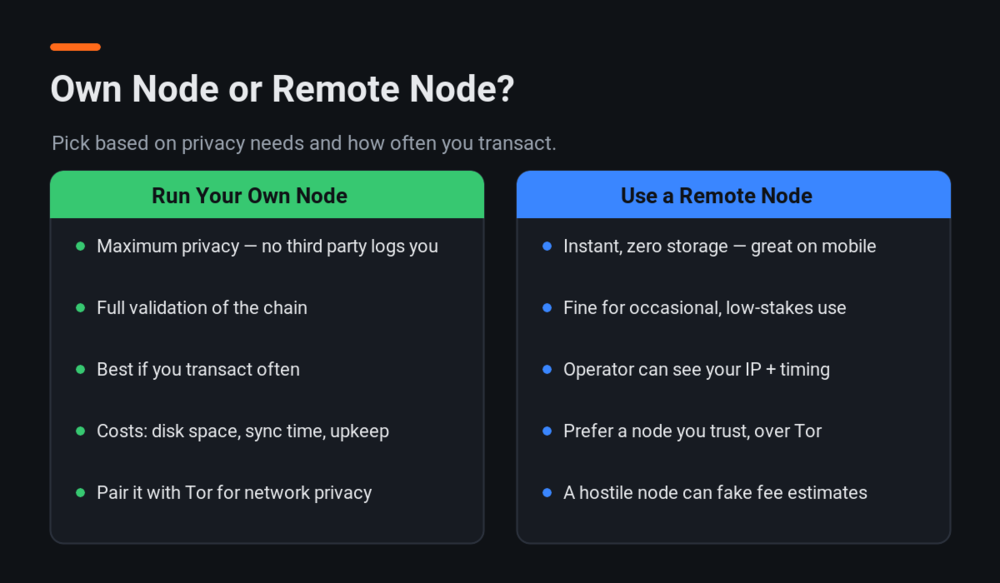
Run your own node if you value maximum privacy, transact often, have a spare machine or a cheap VPS, and do not mind a little upkeep. A remote node is fine if you are on mobile, transact rarely, or are just getting started — especially a trusted node reached over Tor.
- Self-host pros: no third-party logging, full validation, supports the network, works offline-first.
- Self-host cons: disk space, sync time, upkeep.
- Remote pros: instant, zero storage, great for phones.
- Remote cons: the operator sees your IP and request timing; a hostile open node can also lie about the fee estimate.
Things to Look Out For
- Use Tor whether you self-host or connect remotely, so your IP is not exposed on the network.
- Choose remote nodes carefully — prefer a node you or someone you trust runs. See how to choose a remote node.
- Pruned vs full: a pruned node is plenty for most users and saves a lot of disk.
- Keep it updated so you stay compatible through scheduled network upgrades.
How to Get Started
Ready to self-host? Our step-by-step guide to running a Monero node covers full and pruned setups — the official getmonero.org node guide is a great reference too, and Monerica lists node software, hardware, and public remote nodes if you would rather connect to one for now.