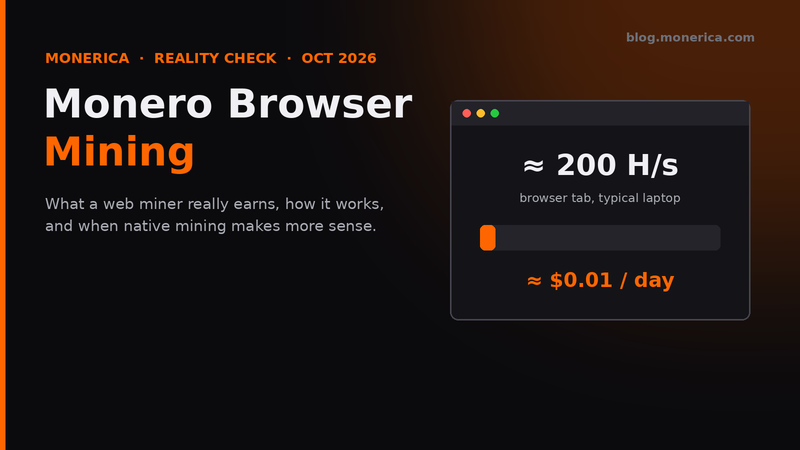
Monero browser mining means running a miner inside a web page: no download, just open a tab and press start. It works, and it is a nice way to see how mining and pools work. But it earns very little, usually less than the electricity it uses. This guide uses live numbers from October 2026 to show what you can really expect, and when a native miner makes more sense.
- Short answer: a laptop browser miner does roughly 200 H/s and earns about $0.01 a day. The same laptop running XMRig does about 6,300 H/s and earns about $0.27 a day.
- Use browser mining to learn or test, not to make money.
What Browser Mining Really Earns (October 2026)
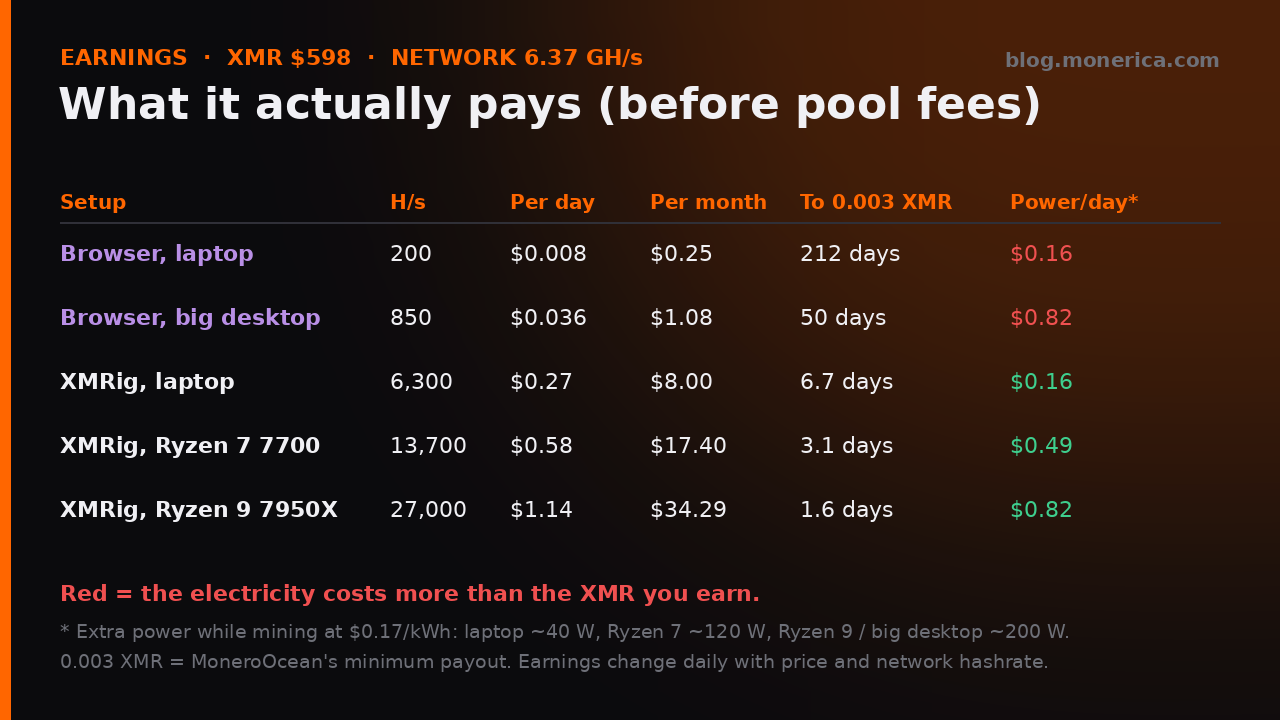
These estimates use the network as of 19 October 2026: total hashrate about 6.37 GH/s, about 0.63 XMR per block (0.6 XMR tail emission plus fees), 720 blocks a day, and XMR at about $598. They are before pool fees, and they change daily with price and network hashrate.
- Browser on a laptop (~200 H/s): about $0.008 a day, or $0.25 a month. Reaching a 0.003 XMR minimum payout takes about 7 months.
- Browser on a big 32-thread desktop (~850 H/s): about $0.036 a day, or $1.08 a month.
- XMRig on the same laptop (~6,300 H/s): about $0.27 a day, or $8 a month.
- XMRig on a Ryzen 9 7950X (~27,000 H/s): about $1.14 a day, or $34 a month.
Electricity: a laptop at full load uses roughly 40 W extra, about $0.16 a day at $0.17/kWh. Browser mining earns a small fraction of that, so you lose money unless your power is free. Native mining on efficient hardware can roughly break even or make a little.
Why the Browser Is So Much Slower
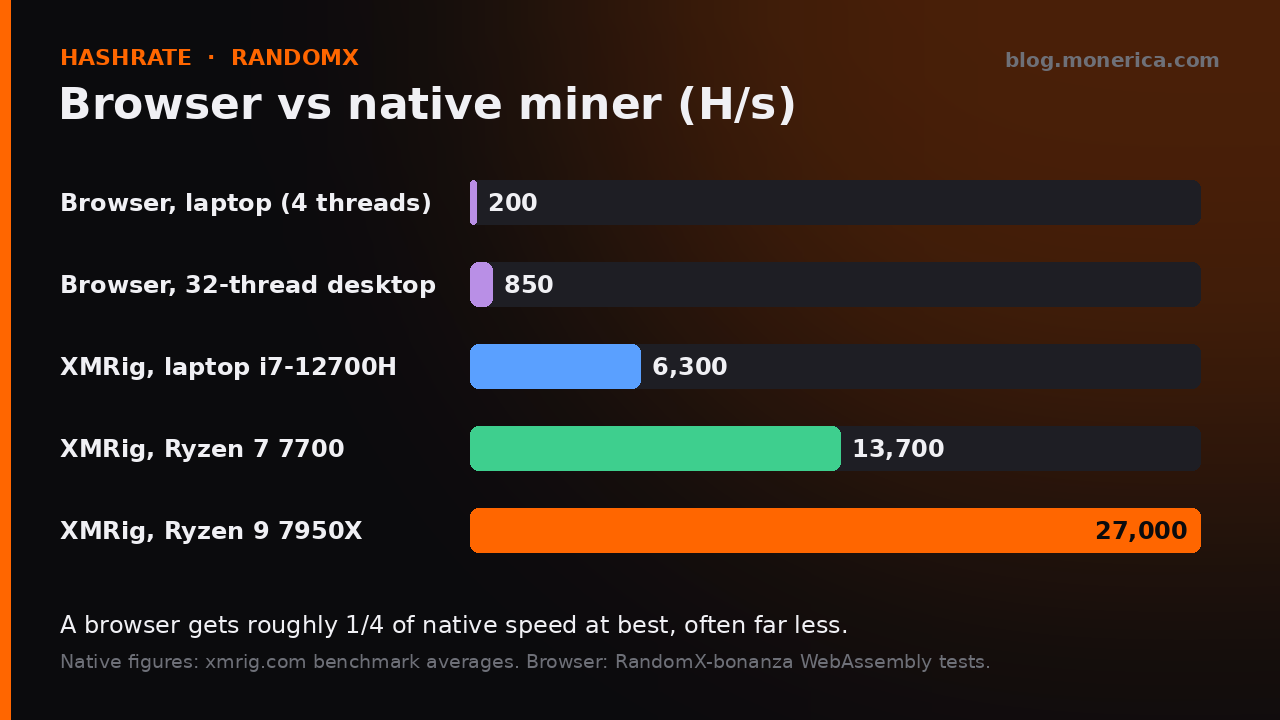
Monero’s algorithm, RandomX, was designed for real CPUs. It runs fastest with a 2 GB dataset, compiled machine code (JIT), and large memory pages. A browser can’t do most of that, so web miners fall back to slower modes. In public WebAssembly tests, a browser reached roughly a quarter of native speed at best, and around half of even RandomX’s slow “light” mode. RandomX’s own authors describe web mining as impractical.
How a Web Miner Works
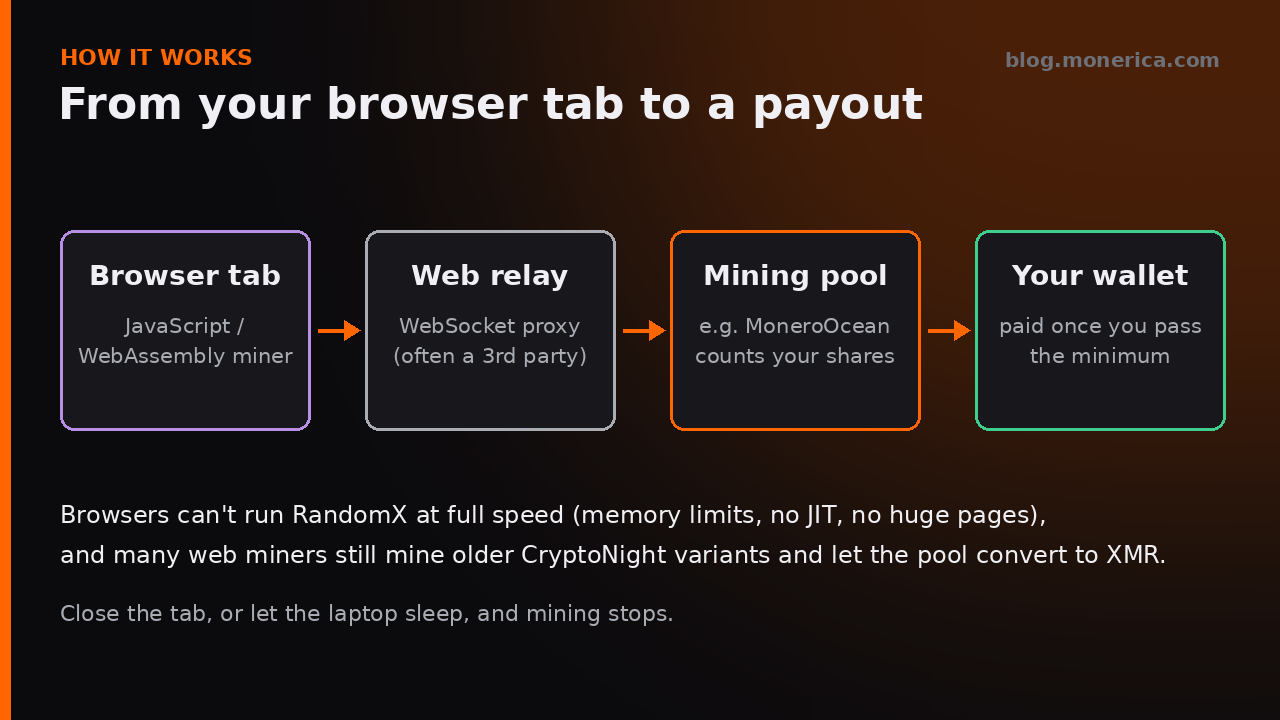
- The page loads a JavaScript/WebAssembly miner that uses some of your CPU threads.
- Browsers can’t talk to mining pools directly, so the miner sends its work through a WebSocket relay, often run by a third party.
- The pool counts your shares and pays your wallet once you pass its minimum payout.
- Many web miners still mine an older CryptoNight algorithm and rely on a pool like MoneroOcean to convert the work into XMR, rather than mining RandomX directly.
Trying One: Monero Web Miner
- Site: miner.paleoagtech.com
- How it works: it connects to the MoneroOcean pool through a third-party relay and mines a CryptoNight algorithm, which MoneroOcean pays out in XMR. There is a Dashboard link to check your stats on moneroocean.stream.
- Your address: enter your own Monero address; if you leave it empty, you mine as a donation. Check the donate % box too.
- Threads: start with 1–2 and raise slowly while watching temperatures. If it won’t start, the page suggests trying a private/incognito window; an ad or script blocker may also be stopping it.
- Payout: MoneroOcean’s minimum payout is 0.003 XMR, which takes months at browser speeds.
A Better Option If You Want to Earn: Native Mining
- XMRig (github.com/xmrig/xmrig) gets 20–30 times the browser’s hashrate on the same machine.
- P2Pool lets you mine without trusting a pool operator, with no fees and small regular payouts. The Monero GUI wallet has it built in.
- Run the numbers first with our Monero mining calculator guide, using your own electricity price.
- Windows flags miners as potentially unwanted software. See Monero wallet and Windows Defender for verifying and allowing them safely.
Do and Don’t
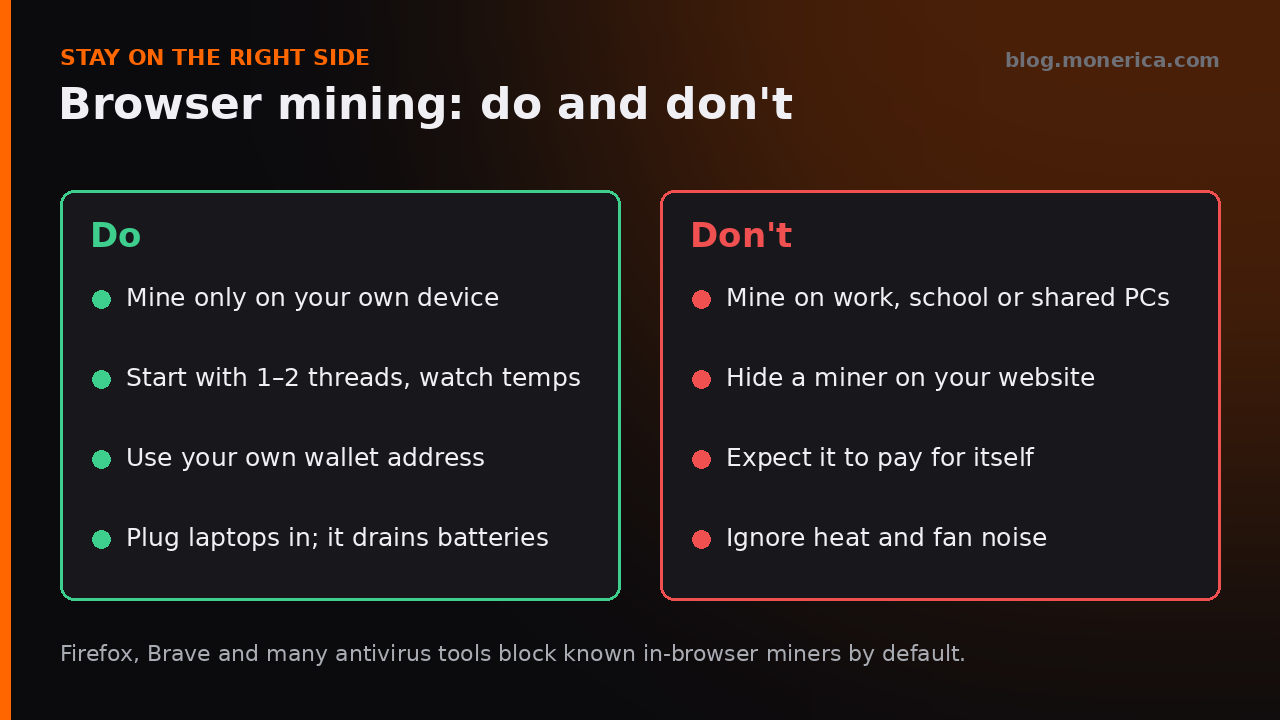
- Only mine on your own device. Mining on work, school or shared computers can get you in trouble and costs someone else money.
- Never hide a miner on a website. Running visitors’ CPUs without clear consent is “cryptojacking”. Firefox, Brave and many antivirus tools block known browser miners by default, and search engines and ad networks penalise sites that use them.
- Watch heat and battery. Full CPU load makes laptops hot and loud and drains batteries quickly.
FAQ
Is Monero browser mining profitable?
No. At about $0.01 a day on a typical laptop, it earns less than the electricity it uses in most places.
Is browser mining safe?
On your own device with a site you trust, yes. Be careful with unknown miner pages: they can mine to someone else’s address or load other scripts. Use your own wallet address and check the pool dashboard.
Does it work on phones?
Barely. Phones throttle quickly when hot, so hashrate drops and the battery drains fast. It isn’t worth it.
Why does my browser or antivirus block it?
Because the same scripts have been used to mine on people’s computers without permission. Blocking them protects users; allow it only for a miner you chose to run.
Sources
- Network hashrate and block reward: live Monero node data, 19 October 2026.
- Native hashrates: XMRig benchmark averages.
- Browser hashrates: RandomX-bonanza WebAssembly benchmarks; on web mining in general, the RandomX project.
- XMR price: MoneroPriceNow.
Related Articles
- Monero Mining Calculator: How to Estimate XMR Profit
- Monero Node Requirements (2026)
- Monero Wallet Flagged by Windows Defender?
- Best Monero (XMR) Wallet For Desktop & Mobile