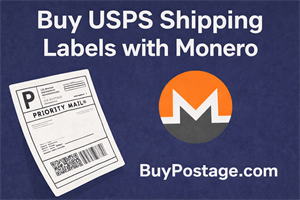
This is a hands-on review and verification walkthrough of BuyPostage.com, focused on purchasing a USPS shipping label using Monero (XMR). The goal of this test is simple: confirm whether someone can create a USPS label without an account and without a credit card or bank account.
Important note: this example is for shipping within the United States.
I originally found BuyPostage.com listed on Monerica.com under: Businesses → Posting & Shipping Services.
Quick Summary
- Works as advertised: I successfully created a USPS label and paid with Monero.
- No account required: I did not need to register or log in.
- No card/bank required: Checkout supported Monero and produced a downloadable label.
- US shipping example: This walkthrough covers domestic USPS shipping within the United States.
- Tor support: The service also provides a Tor address.
Step-by-Step Verification Walkthrough (USPS + Monero)
1) Select the carrier (USPS)
On BuyPostage.com, the first decision is the carrier. The site supports both USPS and FedEx. For this review, I selected USPS.
2) Choose package type (Custom Size)
Next, I chose the package type. I selected Custom Size, since it’s the most common option. There are also default/preset package options, but custom size gives you the most flexibility.
3) Enter dimensions (Imperial)
I entered the package dimensions using the imperial measurement system: length, width, and height.
4) Enter sender and recipient info
After the package details, the site prompts for sender and recipient information. In my test, the email address was optional, but the phone number was required. I used the same phone number for both sender and recipient, and there was no phone verification in my experience.
5) Signature option
For signature, I selected No Signature.
6) Get USPS rates
After clicking Get Rates, I was shown multiple USPS options including: Ground Advantage, Priority, and Express.
7) Add Ground Advantage to cart
For this example, I selected Ground Advantage and clicked Add to Cart.
8) Checkout and select Monero
On the cart page, I clicked Checkout and selected Monero as the payment method. There was an option to enter an email address to receive a copy of the label confirmation. For this demo, I entered my email.
9) Pay the exact XMR amount
The checkout screen displayed a QR code and the total amount in XMR. I copied the address and the exact amount, waited for my wallet to fully sync, and then sent the transaction.
The page stated I would be redirected after 1 confirmation, but that did not happen for me. In my case, the redirect occurred after about 10 confirmations, possibly closer to 11.
10) Download the label (PNG)
After the redirect, I was taken to an order page where I could download the shipping label. There was a save icon next to my order. Clicking it downloaded the label as a PNG file.
11) Email confirmation
I also received an email confirmation containing a link back to my order page. That link makes it easy to pull up the label again if needed.
12) Print and ship
To print the label, I inserted the PNG into a word processor document as an image and printed it. I attached it to the package and brought it to the USPS post office to ship. The tracking number is on the label, so you can track the shipment normally.
Privacy Notes (Tor Support)
BuyPostage.com also provides a Tor address. If you’re privacy-focused, that’s a meaningful feature worth noting.
Pros and Cons
Pros
- No account required (fast checkout)
- Monero payment option
- Downloadable USPS label (PNG)
- Tor address available
- Simple flow: carrier → package → addresses → rates → checkout
Cons / Things to know
- Phone number required (email optional)
- Redirect timing may take more than 1 confirmation (it took ~10–11 confirmations for me)
Final Verdict
Based on this test, BuyPostage.com works for purchasing a USPS shipping label with Monero in a domestic US shipping example. The process did not require an account, and it did not require a credit card or bank account. Once confirmed, the label was downloadable as a PNG, and the tracking number on the label can be used like any normal USPS shipment.
Disclaimer: This article is not tax, legal, or financial advice. It is a verification walkthrough showing how BuyPostage.com worked during this test.
Want more services like this? Browse the directory on Monerica.com.