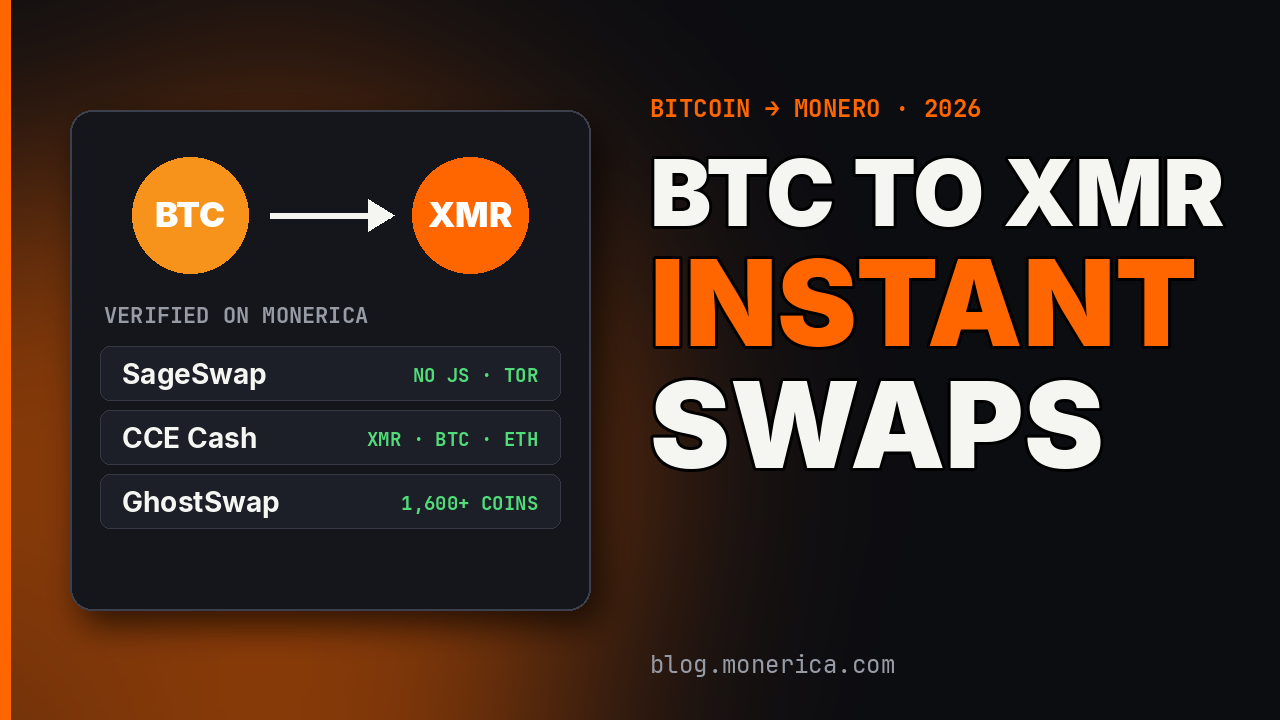
An instant swap is the quickest way to turn Bitcoin into Monero: you send BTC to a one-time deposit address and the service sends XMR to your wallet, usually after one Bitcoin confirmation plus a few minutes. No account, no order book, no waiting for a buyer.
These three services handle BTC → XMR, are Verified on Monerica and sponsor the directory. Below: what each is good at, then the exact steps.
Disclosure: every service named in this article is a current main sponsor of Monerica.com, and some links are affiliate links. All of them are listed as Verified in the Monerica directory. Each one’s Monerica profile shows its full details and user reviews. Always start with a small test swap.
The Picks
| Service | Highlights | Monerica |
|---|---|---|
| SageSwap | No-JavaScript site, Tor, 1–2% fee | Profile |
| CCE Cash | Automated; XMR, BTC, ETH, SOL and more | Profile |
| GhostSwap | 1,600+ coins, Tor | Profile |
SageSwap
SageSwap is a crypto-to-crypto swap service built for people who care about privacy. Its site runs entirely without JavaScript, so it works in a hardened browser or in Tor Browser on its safest setting, and it has its own Tor mirror (you’ll find its .onion address on its Monerica profile or on sageswap.io). There’s no account and nothing to fill in beyond the coins, the amount and your receiving address.
It supports about 20 assets: BTC, ETH, LTC, SOL, XRP, DOGE, DASH, BCH, ZANO and XMR, plus USDT and USDC on several networks (Tron, Ethereum, Solana, Arbitrum and others). You choose a floating rate, settled when your deposit confirms, or a fixed rate that’s locked as long as you send within the window. The standard fee is 1–2% and is already included in the quote (swaps under $50 can cost up to 6%). If you send a slightly different amount than quoted, the swap adjusts automatically, and SageSwap says completed swap records are permanently deleted after 7 days. Reviews, deposit guarantees and full details are on SageSwap’s Monerica profile.
CCE Cash
CCE Cash is a fully automated cross-chain exchange: pick a pair, paste your receiving address and send, with no account and no email. It covers XMR, BTC, ETH, SOL and a large range of other coins across many chains, so you can usually go from whatever you hold to Monero, or back, in a single step.
Low minimums and quick, automated processing make it an easy first stop when you want flexibility and speed. Check the amount you’ll receive on the quote before you send, and compare it with the other services here. Reviews, deposit guarantees and full details are on CCE Cash’s Monerica profile.
GhostSwap
GhostSwap is a no-account swap service with one of the largest coin lists anywhere: more than 1,600 assets, from BTC, ETH and XMR to ZEC, SOL, USDT and popular tokens. There’s no sign-up and no email, and the swapped coins go straight to your wallet.
Before you send anything, the exchange box shows the live amount you’ll receive with all fees included. Along with your receiving address, it asks for the address you’re sending from, and each pair has its own minimum and maximum (for BTC, 0.00001 up to 2 BTC per swap at the time of writing). GhostSwap also has a Tor mirror (you’ll find its .onion address on its Monerica profile or on ghostswap.io) and a Telegram bot for swapping from chat, and it has been reviewed by outlets including CryptoNews, 99Bitcoins and CoinGape. Reviews, deposit guarantees and full details are on GhostSwap’s Monerica profile.
How to Swap BTC to XMR, Step by Step
- Get a Monero address. In your wallet (Feather, Cake, Monero GUI…), create a new subaddress for this swap.
- Compare the rate. Check live XMR/BTC rates on MoneroPriceNow and pick a service.
- Enter the amount and your XMR address. Choose floating (follows the market) or fixed (locked for a short window) rate.
- Send BTC to the deposit address shown, exactly as quoted, from a wallet you control.
- Wait for confirmation. After one Bitcoin confirmation the service sends XMR; Monero needs 10 confirmations (~20 minutes) before you can spend it.
- Save the order page until the XMR is in your wallet.
Fees, Rates and Limits
You pay two things: the service’s spread or fee (built into the quote) and Bitcoin’s network fee to send your deposit. A quote that looks cheap with a high minimum may cost more than a slightly worse rate on a small swap, so compare the XMR you receive, not the headline rate. Each service shows its minimum and maximum on the quote screen; for large amounts, split the swap.
Common Gotchas
- Sending from an exchange account. The withdrawal links your identity to the swap. Send from your own wallet.
- Fixed-rate timeouts. If your BTC arrives after the fixed window, the swap re-quotes or refunds.
- Wrong network. Send on-chain BTC, not Lightning, unless the service explicitly offers it.
- Low fee, slow confirmation. A Bitcoin fee that’s too low can delay everything for hours.
Before You Swap
- Test first. Send a small amount before a large one, especially with a service you haven’t used.
- Check the address twice. Paste your receiving address, then compare the first and last characters. Never send to an address from an email or chat.
- Save the order link or ID. It’s your proof if you need support.
- Use a fresh address. Generate a new subaddress in your Monero wallet for each swap.
- Compare live rates. MoneroPriceNow shows current XMR rates across swap services side by side.
Related Articles
- Best Monero Exchanges (2026)
- Monero to BTC Instant Exchange (No Registration)
- Monero Anonymous Exchanges
- Where to Exchange Monero (XMR)
- Where to Buy Monero With Bitcoin