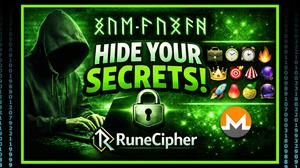
RuneCipher is a privacy tool that encrypts messages and disguises them as runes or emojis. The goal is simple: keep your message private while also avoiding the “this looks encrypted” problem that can draw attention from platforms, filters, or casual observers.
The problem RuneCipher is trying to solve
Most encryption creates obvious ciphertext. Even if it’s secure, it looks suspicious. RuneCipher tries to solve that by producing encrypted output that looks like harmless symbols, making it easier to share across everyday platforms without standing out.
What it does
- Text to Runes: Converts your message into rune-style characters while keeping it encrypted.
- Text to Emoji: Converts your message into emoji sequences while keeping it encrypted.
- Password option: Encrypt with or without a password (password adds an extra layer so only people who know it can decrypt).
- Works anywhere: Output can be pasted into SMS, email, social media, and messaging apps.
How it works (simple walkthrough)
- Type your secret message.
- Choose a disguise: Runes or Emoji.
- Generate the encrypted output.
- Send the runes/emojis through any platform.
- Recipient decrypts using RuneCipher (and the password if you set one).
Account setup and upgrade (what I did)
I created an account using an email and password, confirmed the email, then upgraded by selecting a plan and choosing the Professional option. For payment, RuneCipher supports multiple cryptocurrencies, including Monero. After paying with Monero and waiting for one confirmation, I was redirected back and the upgrade was active.
Paying with Monero
RuneCipher lists multiple crypto options (including Monero). Paying with Monero can be appealing if you want to keep payment details private and avoid linking your identity to the purchase. As always, verify addresses carefully and send a small test payment first if you’re unsure.
Using RuneCipher: runes vs emojis
Runes are best if you want the ciphertext to look like stylized symbols or “ancient text.” Emojis are best if you want the message to blend into casual conversation or social posts. In both modes, the output looks normal to others, but only decrypts correctly through RuneCipher.
With a password vs without a password
Without a password: The encrypted output can be decrypted by someone using RuneCipher (depending on how the system is designed and the settings used). This can be convenient but may be weaker if the message is widely shared.
With a password: Adds a shared secret so the message cannot be decrypted unless the recipient knows the password. If you use RuneCipher regularly, this is the safer option for sensitive messages.
Privacy & security notes
- RuneCipher states it does not store messages or keys in a database.
- It also claims communications between the website and cipher server are PGP-signed, intended to prevent interception before encryption.
- As with any privacy tool, the strongest approach is to assume you should still use good operational security: strong passwords, private channels for sharing passwords, and careful device hygiene.
Who RuneCipher is for
- People who want private messages that do not visually stand out as encrypted.
- Users who share sensitive info across platforms that may scan or flag obvious ciphertext.
- Privacy-focused users who prefer paying with crypto (including Monero).
Pros
- Encrypted messages disguised as runes or emojis (hidden in plain sight).
- Easy to paste and send through common platforms.
- Password option for stronger protection.
- Crypto payments supported, including Monero.
Cons
- Pricing may feel high for users who only need basic encryption.
- Like any hosted tool, you’re trusting the implementation and claims unless independently audited.
- You still need a safe way to share passwords with recipients.
Bottom line
RuneCipher is a niche privacy tool that’s less about “encryption exists” and more about “encryption that doesn’t look like encryption.” If you need messages that blend in while staying protected, the rune/emoji disguise is the standout feature. If you only need basic private messaging, mainstream encrypted apps may be a better value.
Disclosure: This review is informational and not legal, financial, or security advice. Always follow local laws and use tools responsibly.