What Is a Monero Node? (Plain-English Guide)
TL;DR
Stores the blockchain, verifies transactions/blocks, and relays them, so your wallet can sync privately. Not mining.
Quick Definition
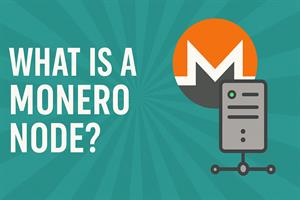
- A Monero node is software (the monerod daemon) that connects to the Monero network, downloads and verifies the blockchain, and relays blocks and transactions to other peers.
- Your wallet talks to a node to learn about new blocks, check balances, and broadcast transactions.
Why Nodes Matter
- Security: Nodes independently validate consensus rules: no central authority decides which transactions are valid.
- Privacy: Using your own node reduces metadata shared with third-party servers (IP address, timing of requests).
- Reliability: A local node gives fast, consistent sync and broadcast, great for frequent users or merchants.
- Decentralization: More independently run nodes = stronger, more censorship-resistant network.
Types of Monero Nodes
- Full Node: Stores and verifies the entire blockchain. Highest assurance; requires more disk space and initial sync time.
- Pruned Node: Fully verifies everything but keeps only the most relevant historical data on disk, significantly reducing storage needs (with no loss of validation security).
- Remote (Public) Node: A node someone else runs. Your wallet can connect to it over the internet. It is convenient, but you share more network metadata unless you use Tor/I2P.
What a Node Actually Does
- Peers: Maintains connections with other nodes, exchanging blocks and transactions.
- Verification: Checks signatures, ring signatures, range proofs, and consensus rules before accepting blocks.
- Mempool: Holds pending transactions before they're mined into a block.
- RPC Interface: Serves wallet requests (e.g., get new blocks, broadcast transactions). If you open RPC to others, use the restricted mode.
Running Your Own Node: Basics
- Hardware: Modern CPU, SSD storage, and a stable connection. Pruned mode cuts disk usage dramatically.
- Software: Download the official bundle (includes monerod and wallets) from GetMonero:
- Start it: Launch monerod. For smaller storage, enable pruning (e.g., a --prune-blockchain flag) and let it sync.
- Connect your wallet: Point your mobile/desktop wallet to localhost (your own node) or to a trusted remote node.
How Big Is a Monero Node? Size and Requirements
According to the official Monero documentation (5 October 2026), a full node stores about 265 GiB and a pruned node about 105 GiB. Both grow as new blocks arrive, roughly every 2 minutes.
| Requirement | Pruned node | Full node |
|---|---|---|
| Blockchain size (October 2026) | About 105 GiB | About 265 GiB |
| Practical disk | 500 GB SSD | 1 TB SSD |
| RAM | 4 GB or more | 4 GB or more |
| CPU | Any modern 2 to 4 core CPU | Any modern 2 to 4 core CPU |
| First sync on an SSD | Roughly a day or two | Roughly a day or two, with more to download |
The disk type matters more than anything else. On a spinning hard drive the first sync can take a week or more. For details and growth figures see Monero node requirements and Monero blockchain size, and for a setup walkthrough see how to run a Monero node.
Monero Node Ports
| Port (mainnet) | Name | What uses it |
|---|---|---|
| 18080 | P2P | Other nodes. Open it if you want to help peers sync from you. |
| 18081 | RPC (default) | Your own wallet. Keep it on localhost or your home network. |
| 18089 | Restricted RPC (by convention) | Wallets on other devices, or the public if you share your node. |
| 18082 | ZMQ RPC (default) | Advanced integrations. |
All of these can be changed. The options are listed in our monerod startup flags reference.
Local Node, Remote Node, Public Node: The Terms Explained
- Daemon: the program itself,
monerod. "Node" and "daemon" are used interchangeably. - Local node: a node on the same computer as your wallet, reached at
127.0.0.1:18081. - Remote node: any node on a different machine from your wallet. It can be private (yours, for example on a VPS) or open to others.
- Public or open node: a remote node whose operator lets anyone connect. An operator can advertise one with the
--public-nodeoption. Monerica lists public remote nodes, node software and node hardware. - Trusted node: a wallet setting, not a quality mark. It enables features that assume the node is honest, and the official documentation says to use it only for a node you control.
- Bootstrap node: a remote node your wallet borrows while your own local node is still syncing, as in the Monero GUI's "Simple mode (bootstrap)".
Whether to rely on someone else's node or run your own is weighed in should you run your own Monero node.
How a Wallet Uses a Node, Step by Step
- Connect: the wallet opens a connection to the node's RPC port and asks for the current block height.
- Download: it requests every block since it last synced, or since its restore height if the wallet is new.
- Scan locally: the wallet checks each transaction with its own view key to find payments that belong to you. The node never receives your keys, so it cannot tell which outputs are yours.
- Build a transaction: when you send, the wallet asks the node for other outputs to use as decoys, then signs the transaction on your device.
- Broadcast: the wallet hands the signed transaction to the node, which checks it and relays it to its peers.
- Confirm: a miner includes it in a block, on average within about 2 minutes. Received funds can be spent again after 10 confirmations (see how many confirmations Monero needs).
Privacy & Network Hygiene
- Use Tor/I2P: Route your node or wallet traffic through Tor/I2P to reduce IP-based linkage (check your wallet/node docs for proxy flags or onion/I2P options).
- Fresh subaddresses: Use a new subaddress per counterparty/app to compartmentalize activity (wallet feature).
- Don't expose wallet RPC: Only expose node RPC in restricted mode if you must; never publish your wallet RPC to the internet.
Common Questions
- Full vs. Pruned: what's the trade-off? Both fully validate. Full keeps all history on disk; pruned keeps much less, saving space with negligible day-to-day downside for most users.
- Can I "earn" by running a node? Not directly. Nodes don't get block rewards; miners do. You run a node for privacy, reliability, and to help the network.
- Is a public node safe? Many are fine for casual use, but a third party can observe timing and network metadata. For best privacy, use your own node, ideally over Tor/I2P.
Monero Node vs. Mining
Monero node runs monerod to verify and relay transactions/blocks, enforce consensus rules, and keep the blockchain (full or pruned); it boosts privacy when you use your own node but pays no rewards.
Mining runs RandomX on your CPU (e.g., with XMRig) to create new blocks and earn block rewards/fees; pool mining doesn't require your own node, while solo mining needs a fully synced local node.
You can run a node without mining, or do both on one machine.
Best Practices Checklist
- Verify binaries from GetMonero before installing.
- Use an SSD for faster sync and better performance.
- Back up your wallet seed (not the node database). Your seed, not the node, controls funds.
- Keep software updated to the latest release for performance and consensus fixes.
Helpful Resources
- GetMonero.org (official site)
- Running a Monero Node (official guide)
- More user guides (wallets, nodes, pruning)
- monerod reference (every daemon option)
More Questions About Monero Nodes
Do I need to run a node to use Monero? No. Every wallet can connect to a remote node, and most mobile wallets do so by default. Running your own is a privacy and reliability upgrade, not a requirement.
Is a node the same as a wallet? No. The node holds the public blockchain and talks to the network. The wallet holds your keys and talks to a node. The official download from GetMonero includes both.
Does a node store my keys or my Monero? No. A node stores only public blockchain data. If your node's disk fails you lose nothing but sync time, as long as you have your wallet seed.
How long does a Monero node take to sync? The first sync usually takes a day or two on an SSD with a good connection and much longer on a hard drive. After that the node only fetches new blocks.
Can a Monero node run on a Raspberry Pi? A Raspberry Pi 4 or 5 with an external SSD can run a pruned node, though the first sync is slow. There are ready-made projects for this, such as PiNodeXMR.
What happens if my node is offline? Nothing happens to your funds. Your wallet simply cannot sync or send until the node is back, or until you point it at another node.
Related Articles
- Monero Node Requirements (2026 Guide)
- Best Monero Remote Node: How to Choose, Find, and Run One
- How To Buy Monero
- Is Monero Private? (2026 Guide)