To use Monero (XMR), install a non-custodial wallet, write down its seed phrase, let the wallet sync with a node, get some XMR, then send and receive it with addresses or QR codes. Amounts, senders and receivers are hidden by default, so you do not need to switch on any privacy setting. This guide walks through each step, with the settings, numbers and fixes that matter in practice.
How to Use Monero: The Short Version
- Install a wallet you control: the official Monero GUI or Feather on desktop, Cake Wallet, Monerujo or Stack Wallet on a phone.
- Back up the seed phrase on paper, offline. It is the only way to restore your funds.
- Connect to a node: your own for the best privacy, or a remote node to start in minutes.
- Get XMR by swapping another coin, buying it, earning it or mining it.
- Receive by sharing an address or QR code, and send by pasting the recipient's address and an amount.
- Wait for 10 confirmations (about 20 minutes) before received funds can be spent again.
1) Pick a Monero Wallet
Choose a reputable, non-custodial wallet so you control your keys. All of the wallets below are open source and appear on the official getmonero.org downloads page.
| Wallet | Platforms | Good for | Get it |
|---|---|---|---|
| Official Monero GUI / CLI | Windows, macOS, Linux | Full features, running your own node, hardware wallets | Download & verify |
| Feather | Windows, macOS, Linux | Lightweight desktop wallet that works well over Tor | FeatherWallet.org |
| Cake Wallet / Monero.com | iOS, Android | Simple mobile wallet with QR scanning and built-in exchange features | Monero.com |
| Monerujo | Android | Mature Android wallet with remote node support | Monerujo.io |
| Stack Wallet | iOS, Android, F-Droid | Multi-coin wallet that supports XMR | StackWallet.com |
Tip: If you are brand new, a mobile wallet is easiest. If you want maximum sovereignty, use the official GUI or CLI with your own node. The GUI has a Simple mode and an Advanced mode. At the time of writing (November 2026) the current official release is 0.18.5.4 "Fluorine Fermi".
For larger amounts, the official wallet supports Ledger and Trezor hardware wallets, which keep the spend key off your computer. A longer comparison is in the best Monero wallet roundup.
2) Create Your Wallet & Secure the Seed
- Install & verify: Download from the official site. For desktop wallets, follow the signature-verification guide to make sure you installed authentic software. (Verification help)
- Write down the seed phrase: The official wallet gives a 25-word recovery seed. Feather uses a 16-word Polyseed that also stores the wallet's creation date. Write the words on paper (or metal) and store them offline. Never share the seed or take photos or screenshots of it.
- Set a strong password: It protects local access to the wallet file. It does not replace the seed.
- Note the restore height: If you ever restore a 25-word seed, entering the approximate creation date or block height means the wallet only scans from that point, which makes the sync much faster.
How to verify the official download
The official binaries are listed in a hashes.txt file signed by the release maintainer, binaryFate. The getmonero.org guide gives the key fingerprint as 81AC 591F E9C4 B65C 5806 AFC3 F0AF 4D46 2A0B DF92. The check has three parts:
gpg --import binaryfate.asc
gpg --verify hashes.txt
shasum -a 256 monero-gui-linux-x64-v0.18.5.4.tar.bz2
You want "Good signature" from the second command, and the hash printed by the third must match the line for your file in hashes.txt. On Windows use certUtil -hashfile <filename> SHA256 instead of shasum. If anything does not match, delete the file and download it again.
3) Connect to a Node (Your Own or Remote)
A wallet does not hold the blockchain itself. It asks a node for blocks and scans them for your transactions.
- Own node (best privacy): Run
monerodand point your wallet to127.0.0.1:18081. You download and validate the chain yourself. Starting it with--prune-blockchainsaves about two thirds of the disk space without losing wallet functionality. - Remote node (quick start): Use a trusted public node (many wallets list options). For extra privacy, use Tor or I2P capable wallets and nodes.
Why this matters: With your own node, your wallet does not leak sync patterns or IP metadata to third parties. A remote node operator cannot spend your funds or read your balance, but can see your IP address and the transactions you submit through it. Guides: how to run a Monero node and how to choose a remote node.
4) Get Some XMR
You can acquire Monero in several ways:
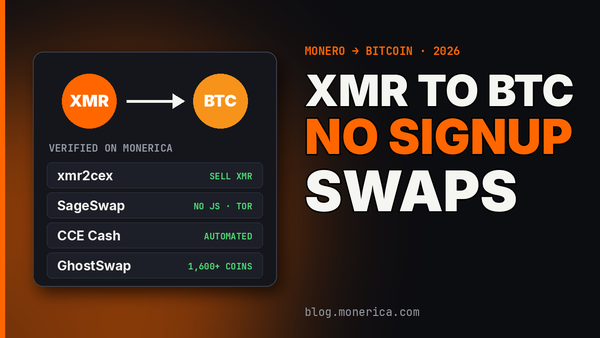
- Exchanges: Centralized (KYC) or non-KYC instant swap services. Compare options and fees, and mind regional rules. If you already hold Bitcoin, Litecoin or a stablecoin, an instant swap sends XMR straight to your own wallet. Monerica's main sponsors for this are CCE Cash, SageSwap and GhostSwap. Each one's KYC policy, liquidity and deposit guarantee are shown on its Monerica profile.
- P2P/OTC: Trade directly with someone you trust or use community marketplaces.
- Gift cards & merchants: Live on XMR by buying gift cards or shopping where Monero is accepted. A large directory is at Monerica.com.
- Mining: CPU-friendly RandomX lets you mine solo or in a pool. (Best as a learning exercise unless you know your power costs.)
Whichever route you use, withdraw to your own wallet. Coins left on an exchange are controlled by the exchange. The step-by-step version is in how to buy Monero without KYC.
5) Receive Monero
- Open your wallet and tap or click Receive.
- Share your address or QR: A Monero address is 95 characters long. Your primary address starts with
4and subaddresses start with8. Monero uses stealth addresses under the hood, so the address you share never appears on the blockchain. - Use subaddresses: Generate a new subaddress per customer, order or sender for clean bookkeeping and better privacy. They all pay into the same wallet.
- Confirm incoming funds: A payment shows in your wallet within seconds of being broadcast and gets its first confirmation in about 2 minutes. It becomes spendable after 10 confirmations (about 20 minutes). Many merchants accept smaller amounts sooner, according to their own policy.
Until those 10 blocks pass, the wallet shows the funds in your balance but not in your unlocked balance. That is normal. More detail: how many confirmations Monero needs.
6) Send Monero
- Paste the recipient's address or scan their QR. Compare the first and last few characters after pasting, because clipboard malware swaps addresses.
- Enter the amount (in XMR or fiat, if your wallet converts).
- Check the fee & address, then send. Your wallet builds a ring signature and hides the amount via RingCT. The default fee level is fine for normal use. See how Monero fees work.
- Track status: You will see pending or broadcast, then confirmed. Save the TXID if you need to prove payment later.
Three things to know:
- Change is locked too. After you send, the change that comes back to you also needs 10 confirmations. If your whole balance sat in one output, you may have to wait about 20 minutes before sending again.
- You cannot send your exact full balance by typing it in, because the fee has to come out of it. Use the wallet's "All" or sweep option (
sweep_all <address>in the CLI). - Transactions are final. There is no chargeback and no support desk that can reverse a payment.
How to prove you sent a payment
Because the blockchain hides the details, a block explorer alone cannot show that you paid someone. A proof needs three items: the transaction ID, the transaction key and the recipient's address. In the official GUI, open History, select the transaction and click the P button to get the proof. The recipient, or a third party, checks it under Advanced > Prove/Check. In the CLI the commands are get_tx_key and check_tx_key.
How to Use Monero Anonymously
Monero hides the sender, the receiver and the amount on the blockchain. It does not hide what you reveal around the transaction. The usual leaks are:
| Leak | What it reveals | Fix |
|---|---|---|
| Buying on an exchange that verified your ID | That you bought XMR, how much and when you withdrew it | Use a no-account swap, P2P or earn XMR. What you do after withdrawal is still private. |
| Your IP address | The node you use sees which IP submitted a transaction | Run your own node, or connect over Tor |
| Reusing one address everywhere | Lets the people you gave it to compare notes | A fresh subaddress for each sender |
| Checkout details | Name, email and shipping address given to a merchant | Give only what the order needs. Use a separate email. |
| Timing and amounts | Swapping in and paying the same odd amount minutes later can be correlated off-chain | Leave time between receiving and spending |
For a full walkthrough of the hardware, network and software choices, read the most private way to use Monero. For what the protocol can and cannot hide, see is Monero traceable.
7) Everyday Privacy & Security Tips
- Back up seed & wallet file: Keep your seed offline. Consider a second, sealed copy in another secure location.
- Use fresh subaddresses: Avoid reusing receive addresses for different customers or orders.
- Consider a view-only wallet: For accounting or staff who need to verify deposits without spending rights. In the GUI it is under Settings > Wallet > Create a view-only wallet. It sees incoming payments only, so its balance is wrong once you spend unless you import key images.
- Hot vs. cold: Keep day-to-day amounts in a mobile or desktop wallet. Move the rest to a hardware or air-gapped setup.
- Run your own node (or Tor): Low effort, big privacy win.
- Keep software updated: Wallets and nodes improve regularly. Upgrade from official sources only.
- Never type your seed into a website. No real wallet, exchange or support agent asks for it.
8) Paying at Stores & Online
- IRL merchants: Ask "Do you accept Monero?" Some use QR invoices and others accept direct-to-wallet. (Many take 0 to 1 confirmations for small tickets.)
- Online shops: You will typically see XMR at checkout or get a payment link by email or invoice. Pay the exact amount shown before the invoice timer runs out.
- Gift cards & prepaid: Buy brand cards with XMR to spend anywhere those brands are accepted.
To find places, browse merchants that accept XMR or the Monerica directory. If you need to turn XMR back into another asset, xmr2cex is a sell-only service, with its details on its Monerica profile.
Troubleshooting
- Wallet not showing funds? Make sure you are fully synced. The wallet must scan every block since it was created. If you restored, set a reasonable restore height and rescan.
- Balance shows but will not send? Compare balance with unlocked balance. Received funds and change unlock after 10 confirmations.
- "Pending" too long? Check network status and node connectivity. Try a different node if needed.
- Sent to the wrong address? Crypto transactions are irreversible. Contact the recipient. Otherwise funds cannot be recovered.
FAQ
Is Monero legal to use?
In many countries, holding and transacting crypto is legal, but you are responsible for taxes and compliance. Check local laws. The country-level picture is in is Monero legal.
How fast are transactions?
Monero's target block time is about 2 minutes. Many consider funds final after about 10 confirmations (around 20 minutes), which is also when the wallet lets you spend them. Small in-person purchases may be accepted sooner.
What makes Monero private?
Stealth addresses hide the receiver, ring signatures obfuscate the sender, and RingCT hides amounts. All three are on by default for every transaction.
Do I need to download the whole blockchain to use Monero?
No. A wallet connected to a remote node needs almost no disk space and is usable in minutes. Downloading the chain is only needed if you run your own node, and a pruned node cuts that to about one third of the full size.
What happens if I lose my phone or computer?
Nothing is lost as long as you have the seed phrase. Install a wallet on a new device, choose restore, and enter the seed (plus the restore height for a 25-word seed). Without the seed, nobody can recover the funds.
Do I need a new address for every payment?
You do not have to, because stealth addresses already keep your address off the blockchain. A new subaddress per sender is still good practice: it stops different payers from linking you, and it tells you who paid.
Next Steps & Resources
- GetMonero.org: Get Started
- Official user guides (GUI/CLI, verification, nodes)
- Monerica: merchants, wallets, exchanges, services
Bottom line: Install a trusted wallet, protect your seed, connect to a good node, and you are ready to use Monero privately, globally, and on your own terms.
Related Articles
- How to Buy Monero in Canada (Step-by-Step 2026 Guide)
- How To Buy Monero No KYC (2025): Private, Fast & Beginner-Friendly
- What Is Monero?
- Is Monero Traceable? (2026 Guide)