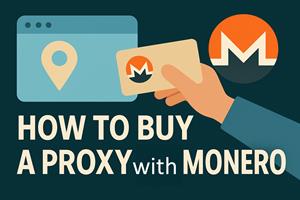
Need a private proxy you can pay for with Monero? A proxy routes your traffic through a different IP address — useful for privacy, geo-access, web scraping, ad verification, and managing multiple accounts. This guide explains the main proxy types (residential, datacenter, ISP, and mobile), how to pick the right one, and every vetted provider on Monerica that accepts XMR — so you can get online without handing over unnecessary personal data.
Proxy Types Explained
The single most important choice is where your proxy's IP comes from, because that determines how "real" it looks to the sites you visit:
- Residential proxies route through real home internet connections, so they look like ordinary users and are the hardest to detect or block. Best for scraping, ad verification, and multi-accounting; usually billed per GB.
- Datacenter proxies come from servers in a data center. They are fast and cheap, but sites can spot the IP ranges more easily. Great for general privacy, speed, and bulk tasks where stealth isn't critical.
- ISP / static residential proxies are residential-quality IPs hosted in a data center — the best of both: residential trust with datacenter speed and a static IP that doesn't change. Ideal for long-lived accounts.
- Mobile / LTE proxies route through cellular networks (4G/5G). Because many users share a carrier IP, they are extremely hard to block — the premium option for social media and sneaker/ticketing tasks.
Protocol and Allocation
- HTTP/HTTPS proxies handle web traffic; SOCKS5 is more flexible and works with almost any app (torrents, games, custom tools). Shadowsocks / Trojan / VMess / VLESS add DPI-resistant, censorship-beating behavior.
- Dedicated / static gives you an IP nobody else uses; rotating / shared cycles through a pool so each request can appear from a new IP — the standard for large-scale scraping.
- Location matters: pick regions that match the sites you're targeting.
How to Choose the Right Proxy
- Web scraping / data collection: rotating residential or datacenter proxies.
- Managing multiple accounts: static residential / ISP proxies, one stable IP per account.
- Social media, sneakers, ticketing: mobile/LTE proxies for maximum trust.
- General privacy and speed: datacenter or SOCKS5 proxies.
- Censorship circumvention: Shadowsocks/Trojan/VLESS stealth protocols.
Where to Buy Proxies With Monero
These providers are listed in Monerica's proxies directory and accept Monero. Always read the plan page for limits, acceptable-use policy, and whether any verification applies.
Residential, Mobile & Rotating
- FleetProxy — Rotating mobile, residential, and datacenter proxies, plus mobile LTE and static residential and IPv4/IPv6 datacenter options. A strong all-rounder for scraping and multi-accounting.
- VeritasProxy — Budget-friendly, pay-per-GB pools: around $0.99/GB residential, $1.5/GB mobile, and $0.5/GB datacenter with a fresh IP pool. Good value for high-volume jobs.
- Quantum Proxies — Premium residential and datacenter proxies aimed at reliability and clean IP quality.
- SpyderProxies — A full range: premium and budget residential, static residential, datacenter, and LTE/mobile proxies. (US)
- Proxys.io — Individual and shared IPv4, IPv6, residential, and mobile proxies — a wide mix of dedicated and rotating options. (UK)
SOCKS5 & Datacenter
- ProxySocks5 — Datacenter and residential SOCKS5 / HTTP / Shadowsocks proxies, plus static-IP VPN and rotating HTTP gateways. (Romania)
- PremSocks — A dedicated, private SOCKS5 proxy service for when you want clean, app-agnostic SOCKS access.
- DNSProxy — Proxy service with a focus on DDoS protection and resilient routing.
Offshore / Layer-7
- Altrosky — Offshore servers with Layer-7 proxy services; contact required for purchase, suitable for semi-custom infrastructure.
How to Pay for a Proxy With Monero
- Have XMR ready in a wallet you control — see how to buy Monero no-KYC if you need some.
- Pick a provider and plan above that matches your use case and target regions.
- Choose Monero at checkout and send the exact amount to the address shown; some providers use a processor that generates a fresh address per order.
- Receive your credentials — proxy IPs and ports, or an authenticated gateway — and plug them into your browser, tool, or system settings.
Frequently Asked Questions
Proxy or VPN — which do I need? A VPN encrypts and routes all your device's traffic through one server; a proxy routes a specific app or request through a chosen IP, often with many IPs to pick from. For per-app control, geo-targeting, or scraping, proxies win; for whole-device privacy, a VPN is simpler.
Are residential proxies legal? Yes, buying and using proxies is legal in most places; you are responsible for following each site's terms and your local law.
Why pay with Monero? It keeps the purchase off your card and bank statements, so the proxy service isn't tied to your identity — fitting for a privacy tool.
Rotating or static? Rotating for large-scale scraping where you want fresh IPs; static residential/ISP for accounts you log back into.
Find More Proxy Providers
New Monero-accepting proxy services are added regularly — browse the full, up-to-date list in Monerica's proxies directory, and pair your proxy with a no-KYC VPS or your own Monero node for a fully private setup.